
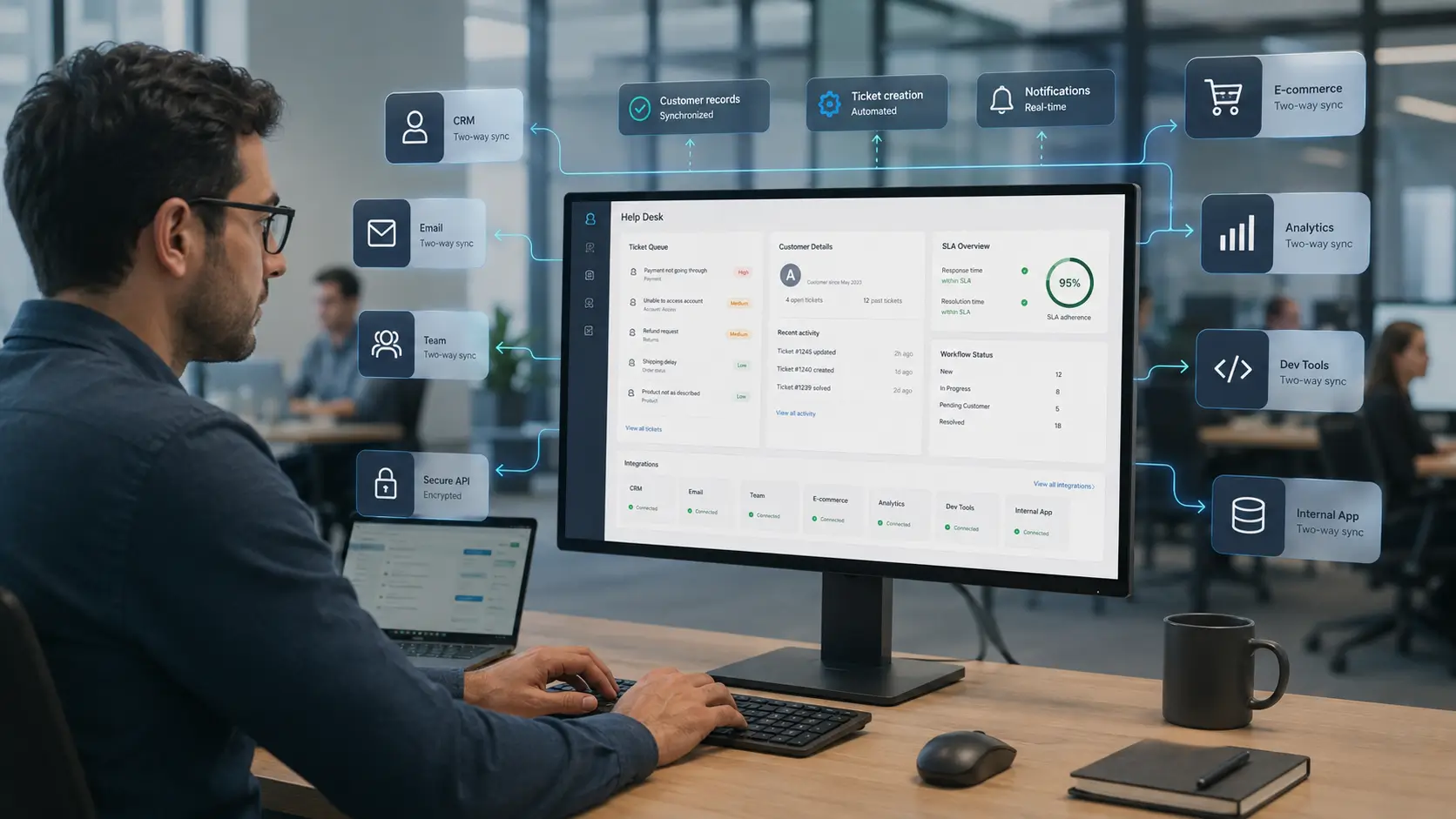
A help desk rarely works alone. It sits beside your CRM, your email, your chat tools, and a dozen other systems. Integrations are what connect them, so data flows instead of getting stuck.
Without integrations, teams copy information by hand between tools. That is slow, error-prone, and does not scale.
This guide explains what help desk integrations are, the main types, and how to plan them. Each section links to a deeper article so you can go further on any topic.
A help desk integration is a connection between your ticketing system and another tool. It lets the two share data automatically, without manual copying.
For example, an integration can turn an email into a ticket, or push customer details from your CRM into the ticket view. The point is to remove manual steps.
Good integrations make the help desk the hub of support. Information arrives where agents need it, and updates flow back out to other systems.
Disconnected tools create hidden costs. Agents waste time switching apps and re-entering data, and mistakes creep in.
Integrations fix this by keeping systems in sync. A customer’s history, orders, and messages appear in one place, so agents resolve issues faster.
They also unlock automation. When tools talk to each other, a single event, like a new ticket, can trigger actions across your whole stack.
The result is less busywork and more consistent service. That is why integration capability is a core buying criterion for any help desk.
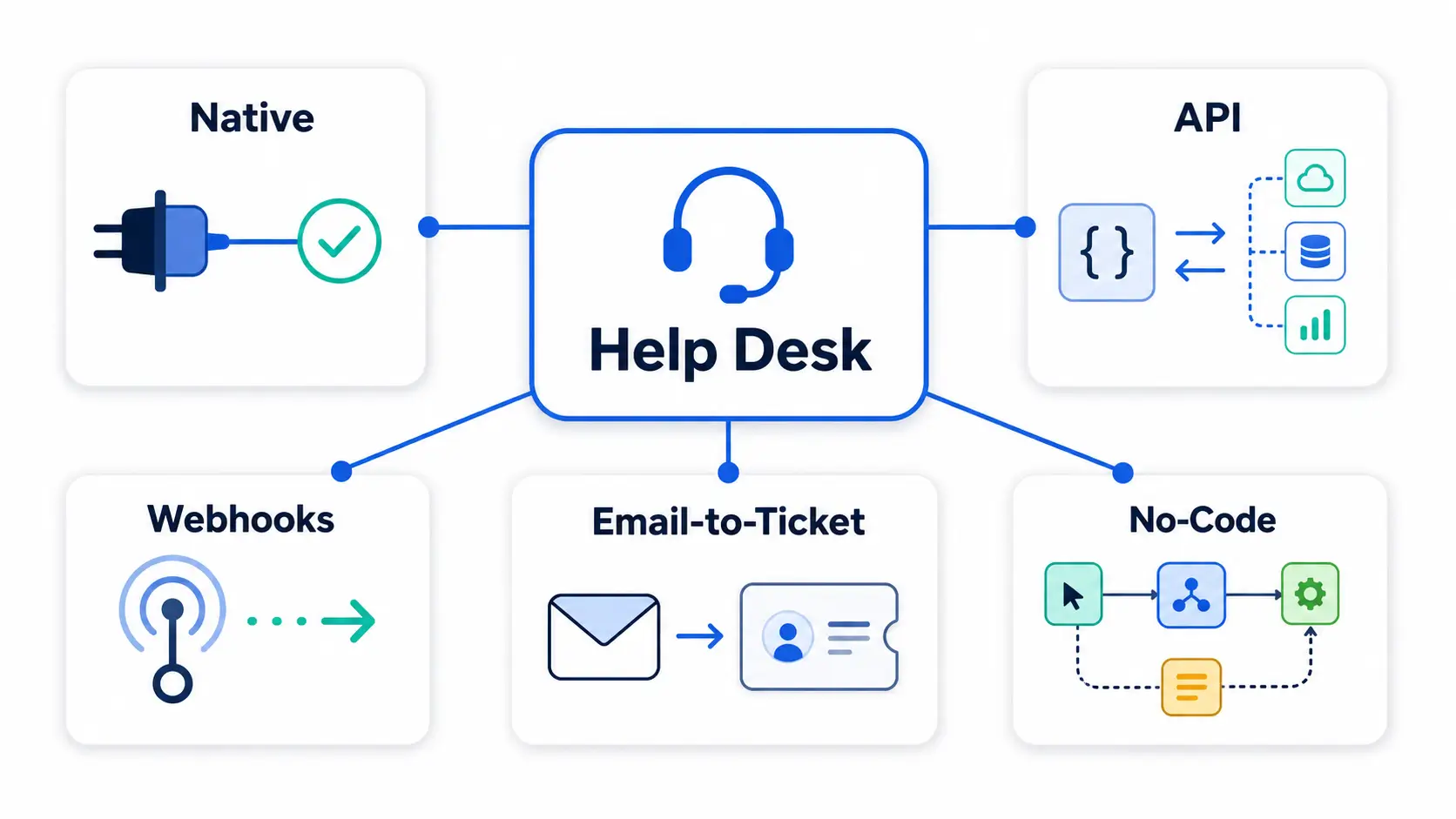
Integrations come in several forms. Knowing them helps you choose the right approach for each connection.
A native integration is prebuilt by the help desk vendor. You turn it on and connect your account, with little setup.
These are the easiest to use. The trade-off is that you are limited to the integrations the vendor offers.
An API, or application programming interface, lets developers connect systems directly. It is the most flexible option.
With an API, you can build custom connections and automate almost anything. It requires development effort, but the possibilities are broad.
A webhook sends a real-time message when something happens, like a ticket being created. It pushes data out instantly.
Webhooks are ideal for keeping other systems updated the moment an event occurs. They are lighter than constant API polling.
Email-to-ticket conversion turns incoming emails into tickets automatically. It is often the first integration a team sets up.
It captures every request in one place, so nothing is lost in an inbox. Replies then flow back to the customer by email.
No-code platforms, sometimes called iPaaS, connect apps without programming. Tools like these let business users build integrations visually.
They sit between native integrations and full API work. You get flexibility without needing a developer.
Certain connections show up again and again. These deliver the most value for most teams.
A little planning prevents a tangle of half-connected tools. Take it step by step.
Begin with the connection that saves the most time. Email-to-ticket and CRM are common first wins.
Integrations move data between systems, so security matters. A few principles keep them safe.
Use authentication tokens rather than sharing passwords, and grant the least access needed. If a connection only needs to read data, do not give it write access.
Reliability matters too. Choose integrations that handle errors gracefully and retry failed syncs, so data does not silently go missing.
Finally, review your connections periodically. Remove any you no longer use, since every active integration is a door into your data.
A few errors turn helpful integrations into headaches.
The first is integrating everything at once. A big-bang approach is hard to test and easy to break, so add connections one at a time.
The second is ignoring data mapping. If fields do not line up between systems, you get messy or duplicated records.
The third is skipping monitoring. An integration that fails quietly can cause bigger problems than no integration at all.
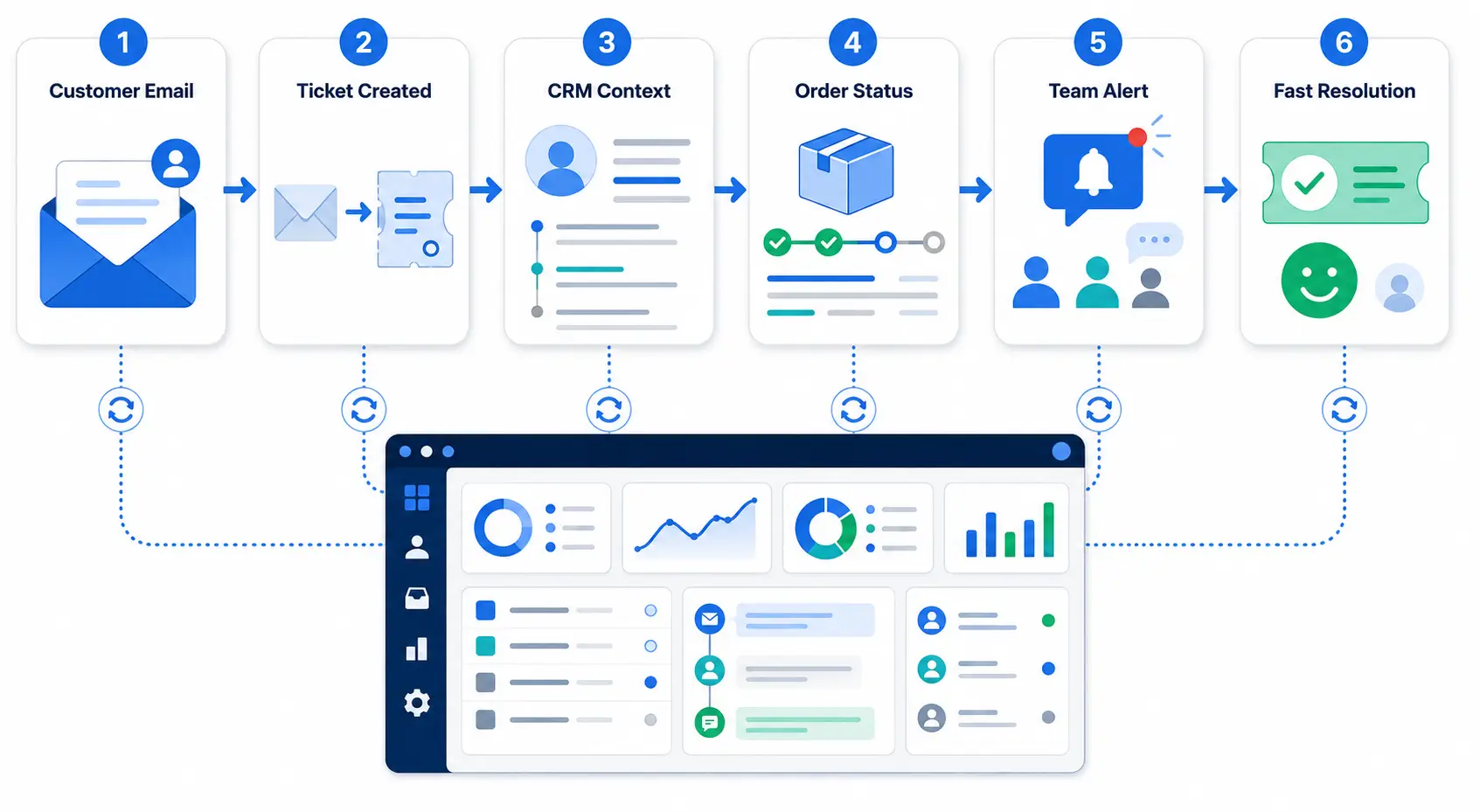
A short scenario shows the payoff. Imagine an online store using a help desk.
A customer emails about a late order. Email-to-ticket creates the ticket instantly, and the CRM integration adds their profile and past orders to the view.
The e-commerce integration pulls the live shipping status into the ticket. The agent answers in seconds, without opening another app.
Meanwhile, a webhook posts the new ticket to the team’s Slack channel. Nothing was copied by hand, and the customer got a fast, informed reply.
Connecting your tools pays off in ways that compound over time. Each benefit maps to a real cost of disconnected systems.
Agents work faster because context is already in the ticket. They stop hunting across apps for a customer’s history or order.
Data stays accurate because it syncs automatically. There is no re-typing, so fewer errors reach your records.
Customers get better answers, sooner. When an agent sees the full picture, the first reply is more likely to resolve the issue.
Finally, the business gains visibility. Support data joined with CRM and sales data reveals trends that neither shows alone.
Integrations and automation work best together. A connection moves data, and automation acts on it.
For example, a new high-priority ticket can trigger a Slack alert and update the CRM at the same time. One event, several automatic actions.
This is where a connected stack becomes more than the sum of its parts. The help desk stops being a silo and becomes the engine of your support operation.
Each integration method suits a different situation. This table shows the trade-offs at a glance.
| Method | Setup effort | Flexibility | Best for |
|---|---|---|---|
| Native | Low | Limited to vendor options | Common, popular tools |
| No-code / iPaaS | Medium | Broad, visual building | Business users, many apps |
| API | High | Almost unlimited | Custom or unique needs |
| Webhooks | Medium | Real-time event push | Instant updates to other systems |
The rule of thumb is simple. Use a native integration if one exists, reach for no-code when it does not, and use the API for anything custom.
Most teams feel the pain before they name it. A few signals point to an integration gap.
Watch for agents switching between many tabs to answer one ticket. That app-switching is a sign data is not flowing.
Watch for repeated copy-paste between systems, and for the same customer detail living in several places. Both mean your tools are not talking.
If reporting requires exporting from multiple tools and stitching it together, that is another clear signal. Integrations remove all of this friction.
A few terms come up throughout this topic. This quick reference keeps them clear.
Hengine SDP is built to fit into an existing tool stack. Its feature set is designed for integration and API readiness rather than working in isolation.
It supports API access and webhooks, so developers can build custom connections and push events to other systems in real time. Email-to-ticket conversion captures requests from the inbox automatically.
The platform is also built for future integration with systems like CRM and ERP. Combined with Workflow Automation, these connections let a single event trigger the right actions across your stack.
Link to the Hengine Features page and the Pricing page.
Next step: See how Hengine connects to your stack with APIs, webhooks, and email-to-ticket. Book a demo or start with the free Fremium plan.
A help desk API lets developers connect the ticketing system to other tools and automate actions. You can create or update tickets programmatically, sync data with a CRM, or build custom workflows that the standard interface does not offer.
An API is something you call to send or fetch data on demand. A webhook is the reverse: the help desk automatically sends you a message when an event happens. APIs pull, webhooks push.
Not always. Native integrations and no-code platforms let business users connect common tools without code. You only need a developer for custom API work or connections that no prebuilt option covers.
For most teams, email-to-ticket and a CRM integration deliver the fastest value. Email-to-ticket captures every request in one place, and the CRM connection gives agents the context to resolve issues quickly.
Link to all five Integrations sub-articles and to “Ticket Automation Without Code” in the AI Ticketing cluster.



