
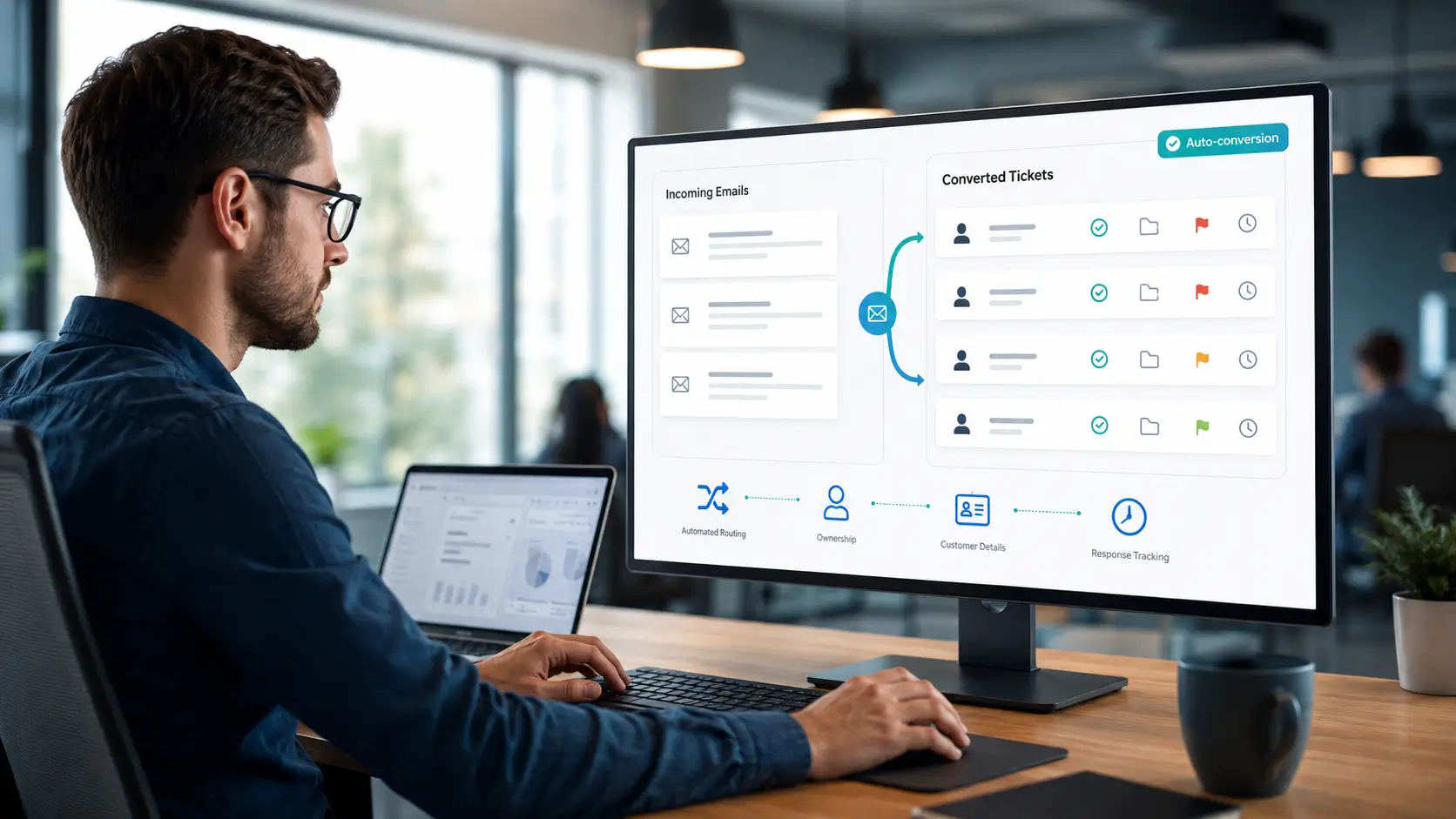
Most support still starts with an email. The problem is that inboxes were never built to manage support at scale. Email-to-ticket conversion fixes that by turning every incoming email into a trackable ticket automatically.
This guide explains what email-to-ticket is, how it works, and how to set it up. It also covers the best practices that keep the flow clean.
Email-to-ticket conversion is a feature that turns incoming support emails into help desk tickets. Instead of an email sitting in a shared inbox, it becomes a structured ticket with an owner and a status.
The customer still just sends an email. Behind the scenes, the help desk captures it, creates a ticket, and tracks it from there.
Replies flow back to the customer by email, so the experience feels normal to them. Your team, however, gains structure, tracking, and reporting.
A shared inbox works until volume grows. Then requests get missed, two agents reply to the same email, and no one can measure response times.
Email-to-ticket removes that chaos. Every request becomes a ticket with clear ownership, so nothing slips through.
It also unlocks everything else a help desk offers. Once an email is a ticket, you can route it, apply SLAs, automate it, and report on it.
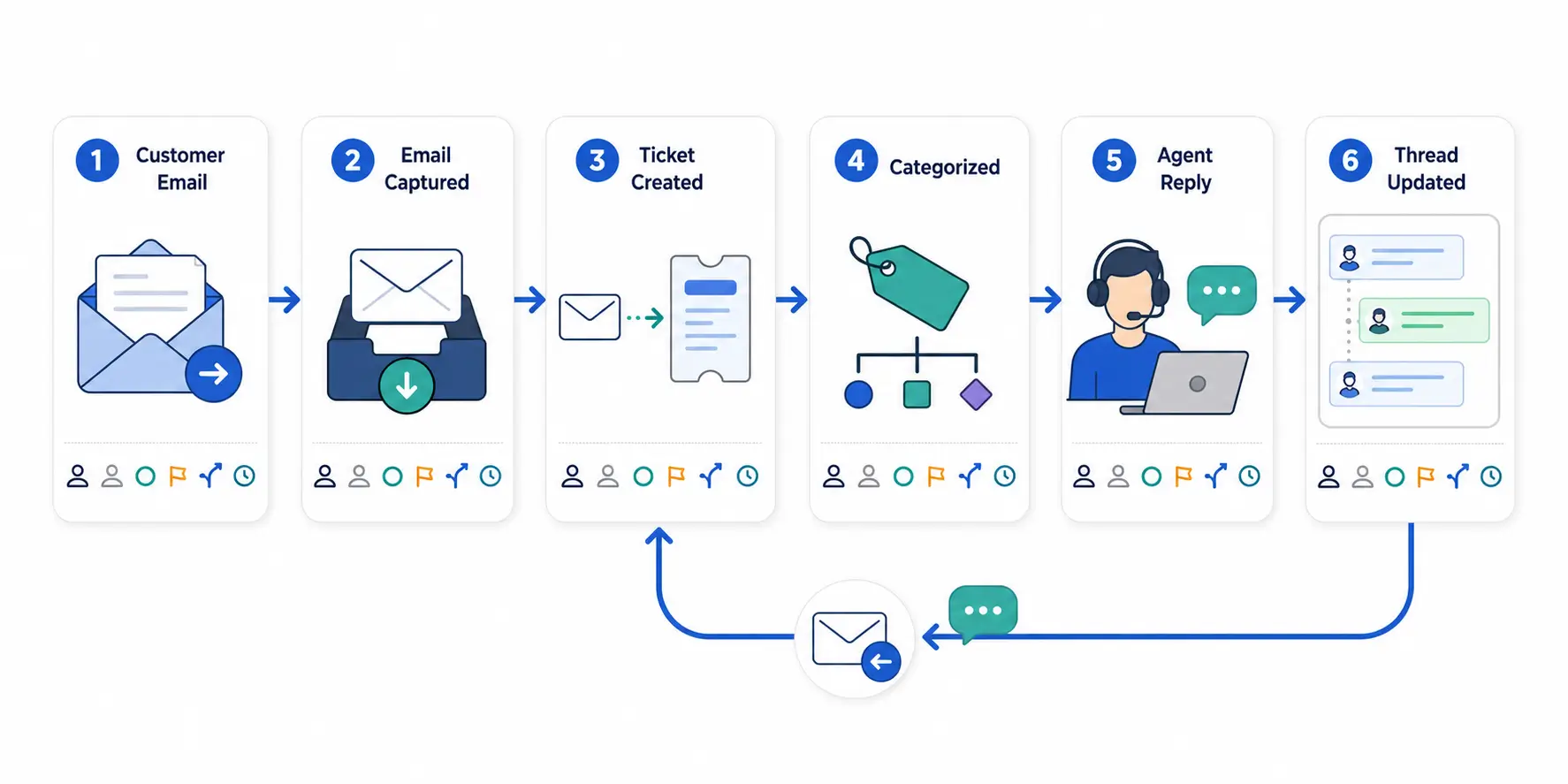
The process is simple from the outside but does several things at once. Here is the flow.
First, you connect a support address, such as help@yourcompany.com, to the help desk. Every email to that address is captured.
Next, the system creates a ticket from the email, pulling in the sender, subject, and message. It fills in the requester’s details automatically.
Then the ticket is categorized and routed, either by rules or by an agent. From there it follows the normal ticket lifecycle.
Finally, when an agent replies, the response is emailed to the customer. Their reply attaches to the same ticket, keeping the conversation together.
Setting it up is quick. These steps cover the essentials.
Start simple with one address. You can add more support addresses for different teams later.
Growing teams often need more than one support address. You might have billing@, support@, and it@ for different functions.
Each address can map to its own queue, so a billing email lands with billing. This keeps routing clean without manual sorting.
Threading matters too. A good system attaches every reply to the original ticket, so the full conversation stays in one place rather than spawning duplicates.
A few habits keep the flow reliable and the customer experience smooth.
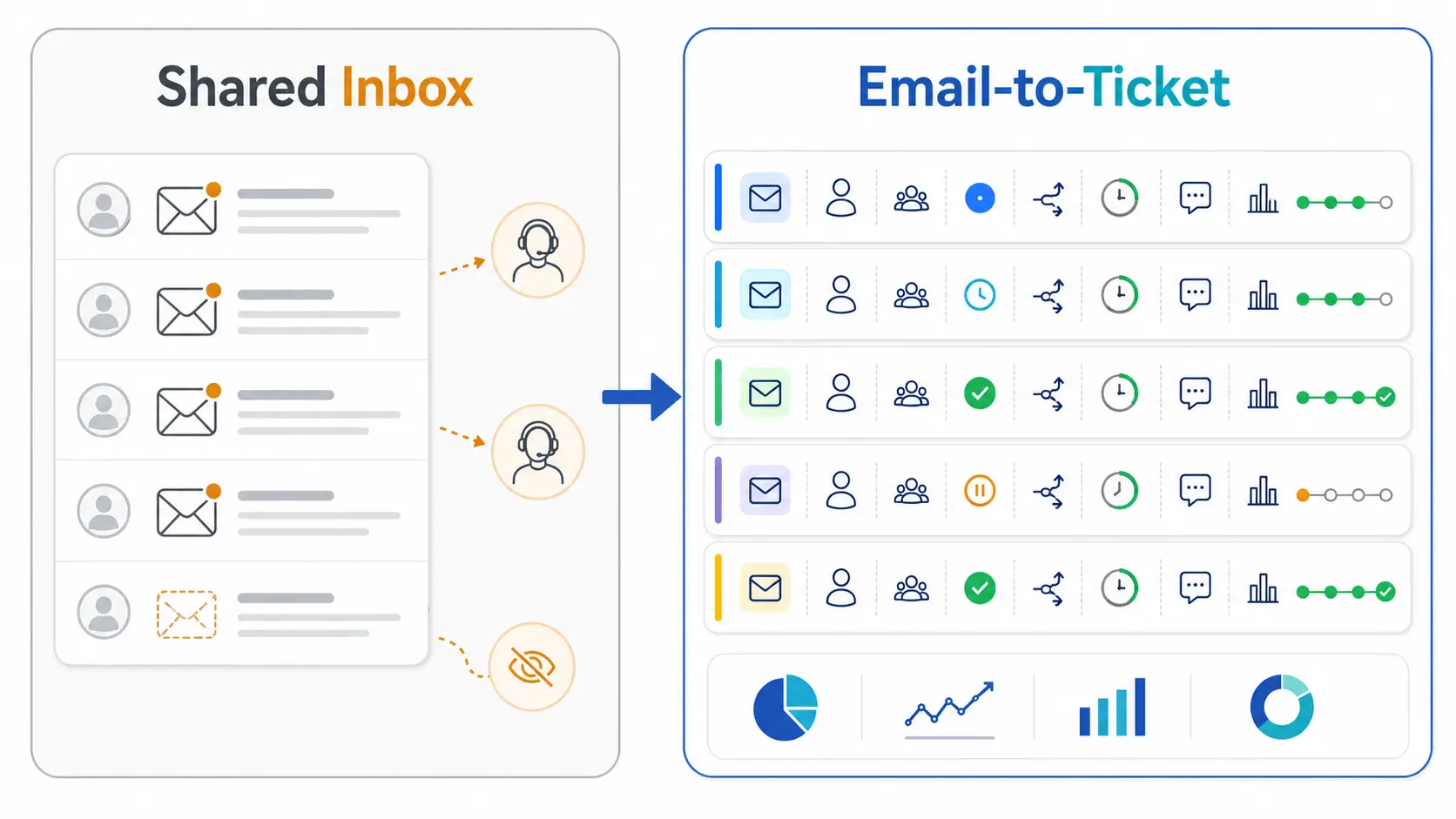
Many teams start with a shared inbox and wonder why they need more. The difference shows as volume grows.
A shared inbox has no ownership, so two agents may reply to the same email or neither does. There are no deadlines, no routing, and no reporting.
Email-to-ticket adds all of that structure while keeping email as the customer’s experience. Each message becomes an owned, tracked ticket with an SLA.
In short, the customer still emails you, but your team stops working blind. That is the whole point of the conversion.
Hengine SDP includes email-to-ticket conversion as a core capability. Incoming emails become structured tickets in the ServiceHub engine, with requester details filled in automatically.
From there, Workflow Automation can route and assign each ticket by rule, and the SLA engine applies response and resolution targets. The Notification Engine keeps customers updated by email at every stage.
The result is a clean flow from inbox to resolution. Customers keep emailing as usual, while your team gets full tracking and structure.
Next step: Turn your support inbox into trackable tickets automatically. Book a Hengine demo or start with the free Fremium plan.
It is a help desk feature that automatically turns incoming support emails into tickets. The customer still emails you, but each message becomes a structured, trackable ticket with an owner, status, and history.
Not really. From their side it is just email. They send a message and get replies by email, while your team manages it as a ticket behind the scenes.
Yes. Most help desks let you connect several addresses, such as support@ and billing@, and route each to its own queue. This keeps different types of request organized automatically.
The system threads replies by matching them to the original ticket, usually through a hidden reference. This keeps the whole conversation in one ticket instead of creating duplicates for each reply.



