When a support request arrives, it needs to be tracked from start to finish. A ticketing system is what makes that possible.
It turns every request into a ticket, so nothing is lost and everyone knows the status.
This guide explains what a ticketing system is, how it works, its key features, and who needs one.
A ticketing system is software that captures support requests and tracks them as tickets. Each ticket holds the request, its history, and its status.
It is the engine behind most help desk tools. It organizes requests so a team can work them in order. help desk software guide
The name comes from the ticket: a single record for one request, from creation to resolution.
A ticket is a record of one support request. It gathers everything about that request in one place.
A typical ticket includes the requester, the issue, the priority, the assigned agent, and the status. It also keeps the full conversation.
Older systems called these trouble tickets. The idea is the same: one record to track one issue.
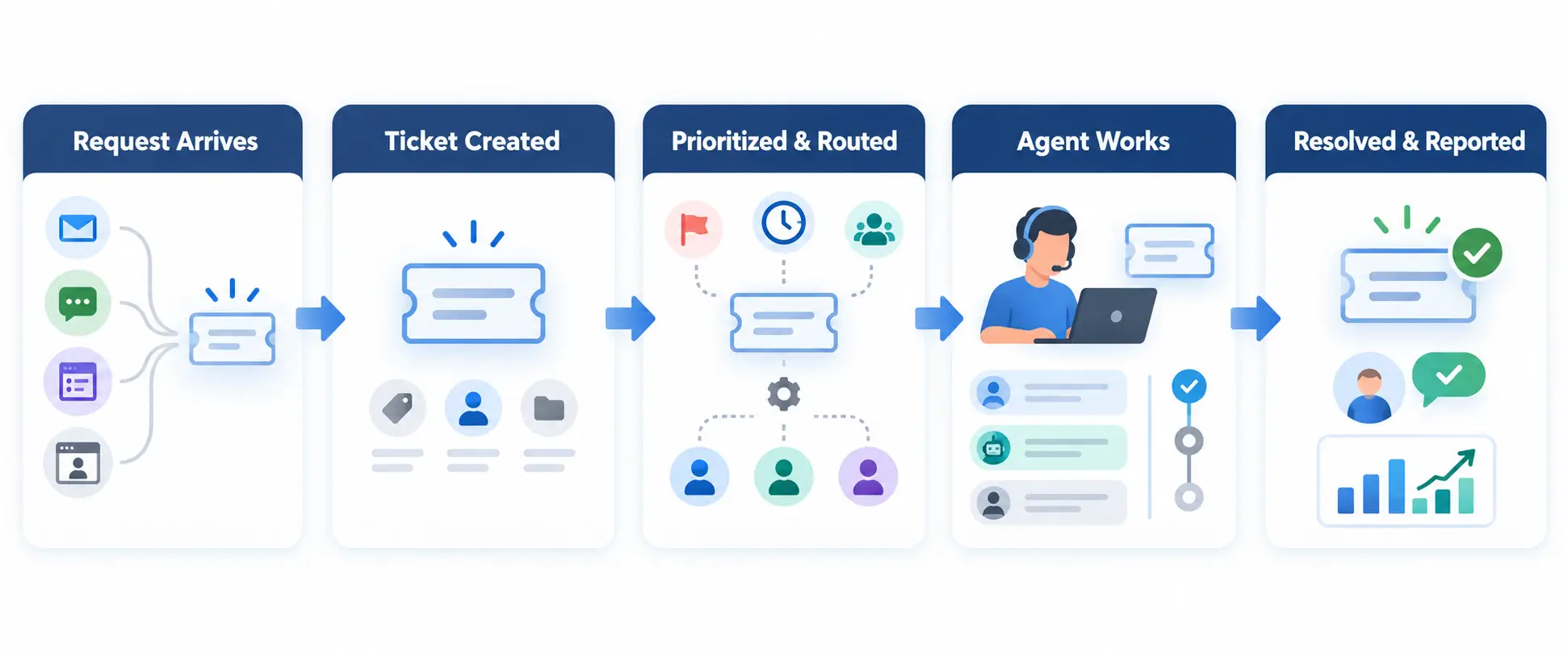
The flow is straightforward. A ticket moves through a clear lifecycle.
Automation can handle routing, tagging, and updates. This keeps tickets moving without manual effort.
Systems differ, but the essentials are consistent.
Modern systems add automation and AI to reduce manual work. AI ticketing guide
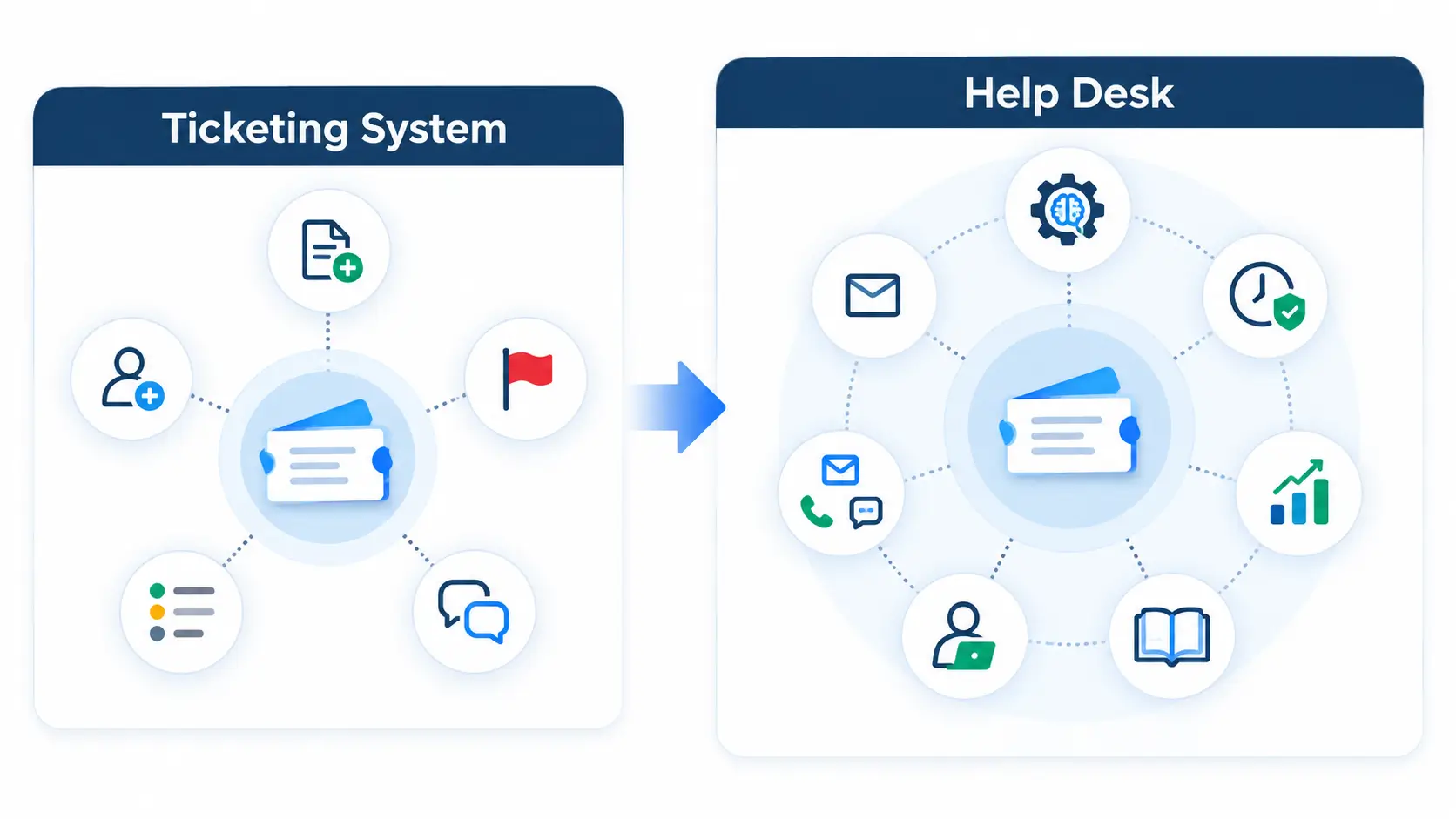
These terms overlap, which causes confusion. The difference is scope.
| Ticketing system | Help desk | |
|---|---|---|
| Core job | Track requests as tickets | Full support workspace |
| Includes | Ticket creation and tracking | Ticketing plus reporting, automation, self-service |
| Think of it as | The engine | The whole vehicle |
Core job
Includes
Think of it as
In practice, most help desk software includes a ticketing system. The ticketing system is the core; the help desk is built around it.
Ticketing systems serve different audiences. The right one depends on who you support.
Some platforms handle several at once, which avoids running separate tools.
The benefits appear fast for teams leaving email behind.
Every request is tracked with clear ownership. No request is forgotten in an inbox.
Routing and priorities get tickets to the right person quickly. Templates speed up common replies.
You can measure volume, response times, and backlog. Data replaces guesswork.
Not every system fits every team. A few criteria help you compare fairly.
Rank these by your own priorities. A high-volume team values automation more than a small one does.
The tool works best with a little setup. These mistakes hold teams back.
Leaving everything on default turns the system into a glorified inbox. Set priorities, SLAs, and routing from the start.
Skipping reporting is another miss. If you never review the data, you cannot improve. Check metrics regularly and adjust.
Any team handling a steady flow of requests benefits. That includes support, IT, HR, and operations.
The trigger is usually volume. Once email cannot keep up, a ticketing system pays for itself quickly.
It is software that turns support requests into trackable tickets. Each ticket records the issue, owner, and status until it is resolved.
A ticket is one request record. A ticketing system is the software that creates and manages all those tickets.
Not quite. A ticketing system tracks tickets; a help desk is the broader tool that includes it, plus reporting and self-service.
If requests are getting lost in email, yes. Even small teams gain from tracking and clear ownership.
It is an older name for a support ticket, common in IT. It records one issue and tracks it to resolution.
A ticketing system is the foundation of organized support. Start by mapping your request channels and priorities.
To see a modern ticketing system with AI routing and SLA tracking, explore how Hengine works.