

A support request is easy to start and easy to lose. Ticket management is what keeps it on track from first contact to resolution.
It defines how tickets move, who owns them, and when they are done.
This guide explains what ticket management is, the stages of the ticket lifecycle, and how to do it well.
Ticket management is the process of handling support requests as tickets. It covers creation, assignment, tracking, and resolution.
A ticket management system automates much of this. It routes tickets, tracks status, and records history.
Done well, ticket management means no request is dropped and every one has an owner.
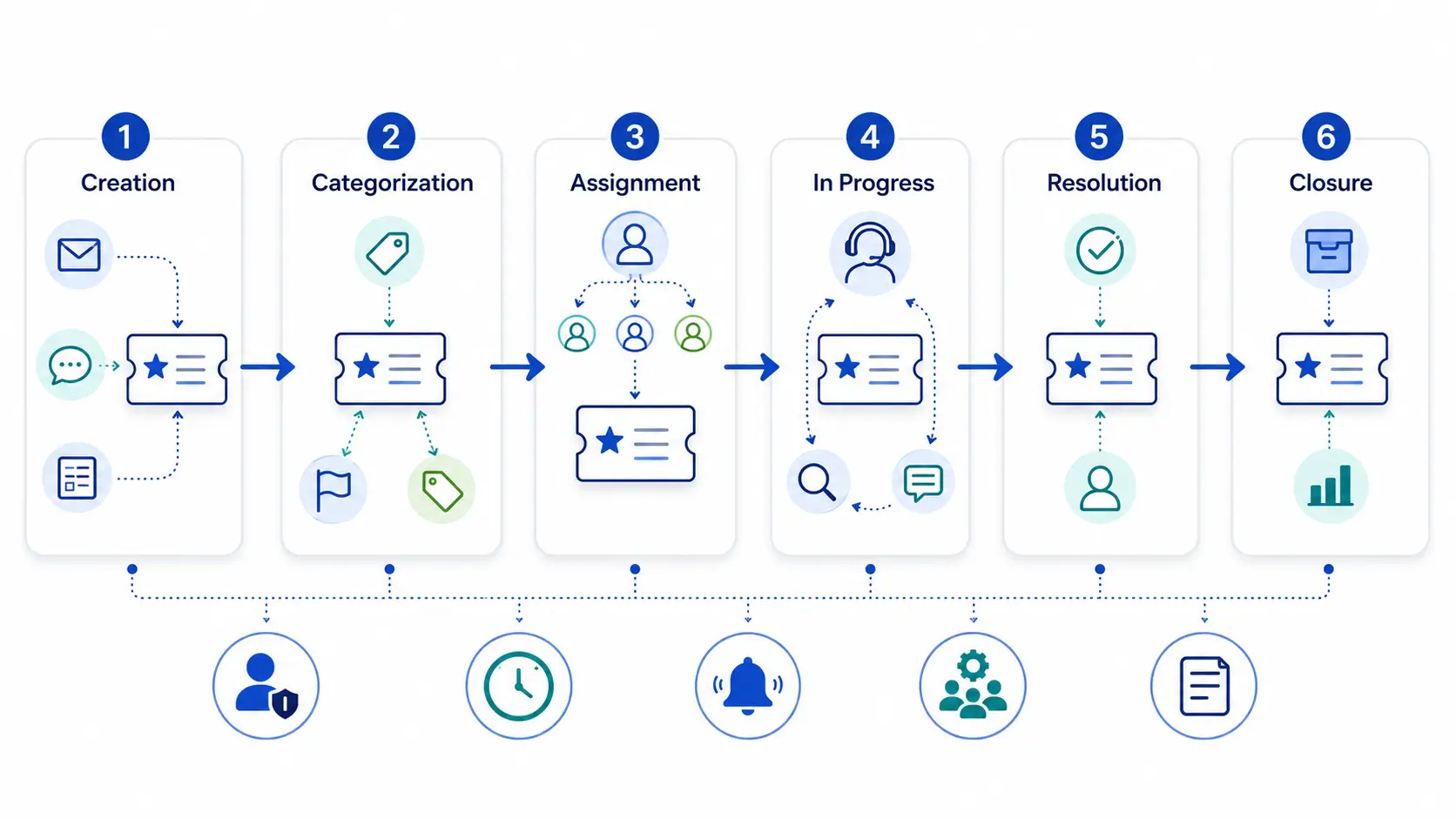
Every ticket moves through a lifecycle. The stages give structure to support work.
| Stage | What happens | Goal |
|---|---|---|
| Creation | A request becomes a ticket | Capture all the details |
| Categorization | Tag and set priority | Understand urgency and type |
| Assignment | Route to an agent or team | Get it to the right person |
| Work / progress | Agent investigates and responds | Move toward a fix |
| Resolution | Issue is solved | Confirm the fix works |
| Closure | Ticket is closed and recorded | Capture data for reporting |
Creation
Categorization
Assignment
Work / progress
Resolution
Closure
Here is what matters at each stage of the lifecycle.
A request arrives and becomes a ticket. Capturing clear details up front prevents back-and-forth later.
Tagging and priority decide how urgent a ticket is. Clear priority levels keep decisions consistent.
The ticket goes to the right agent by skill and workload. Good routing prevents overload and delay.
The agent investigates, communicates, and resolves. Keeping the requester updated builds trust during this stage.
The ticket closes once the fix is confirmed. Its data feeds reporting and improvement.
Statuses show where a ticket stands. Clear statuses keep everyone aligned.
Pending is important. Pausing the SLA clock while waiting on a customer keeps metrics fair.
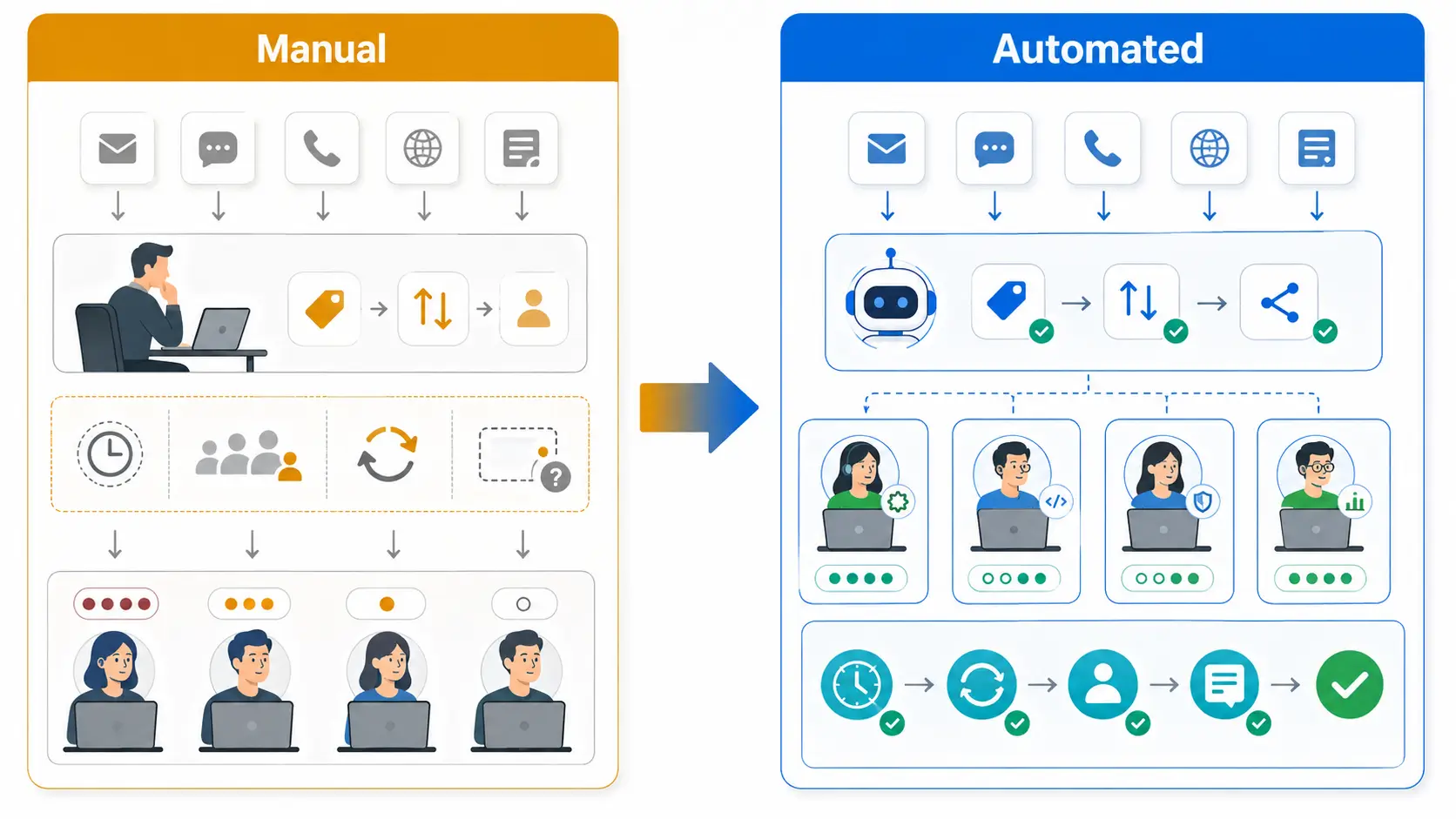
You can manage tickets by hand or let the system do it. The right choice depends on volume.
Manual management works for very small teams. A lead reads each ticket and assigns it. It breaks down as requests grow.
Automated management uses rules to route, tag, and update tickets. It keeps pace with volume and reduces human error.
Most teams start manual and automate as they scale. The shift usually pays off quickly.
Ticket management and SLAs work together. The lifecycle is where SLA targets are met or missed.
Each stage has time pressure. Slow assignment or long pending periods eat into the SLA window.
Tracking status and priority keeps the SLA clock accurate. That is why clear statuses matter for reliable service. SLA management guide
A few habits make ticket management smooth and reliable.
Automation handles the repetitive steps, so agents focus on solving issues. AI ticketing guide
It is the process of handling support requests as tickets, from creation through resolution. It keeps every request tracked and owned.
Creation, categorization, assignment, work, resolution, and closure. Each stage moves the ticket closer to a confirmed fix.
It means the ticket is waiting on the customer or a third party. The SLA clock usually pauses during this time.
It handles routing, tagging, and updates automatically. That speeds tickets along and frees agents for real problem-solving.
Give every ticket an owner and a clear status. Regular queue reviews catch anything stuck without progress.
Map your lifecycle, set clear priorities and statuses, and automate the routine steps. Then review closed tickets to keep improving.
To see ticket management with AI routing and SLA tracking, explore how Hengine works.



