
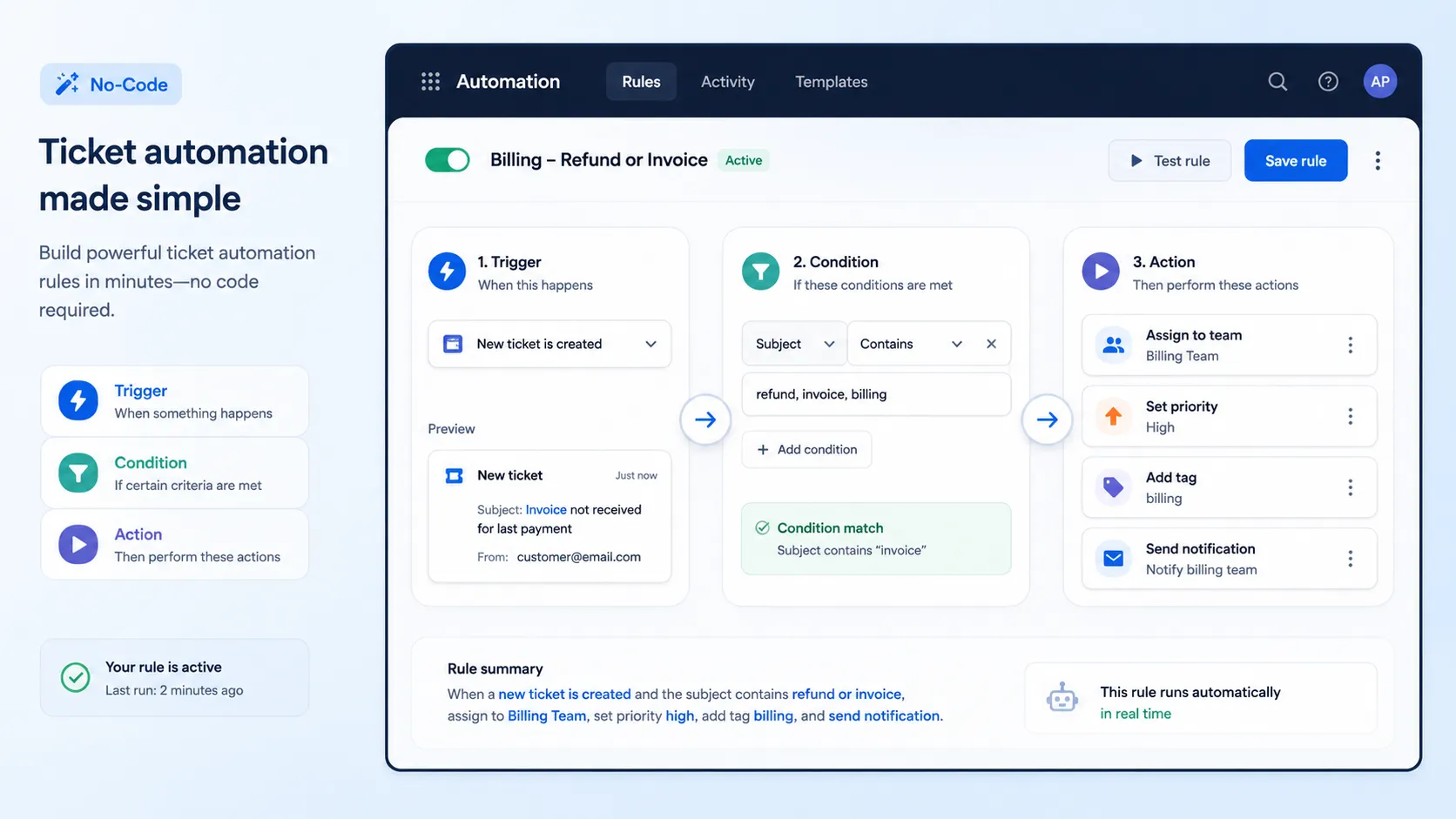
Most teams assume that automating their helpdesk requires a developer. It does not. No-code ticket automation lets business users build powerful rules with a few clicks, no programming required.
This how-to explains what you can automate, how the rules work, and the exact steps to set them up — one practical corner of AI ticketing systems. The focus is hands-on, so you can apply it today.
Ticket automation is the use of rules to handle repetitive support tasks automatically. Instead of an agent sorting, tagging, and assigning every ticket, the system does it.
The rules follow a simple pattern. When something happens and certain conditions are true, the system takes an action.
That pattern covers a huge range of busywork, from routing tickets to sending reminders. It runs the same way every time, without anyone remembering to do it.
“No-code” means you build automation through a visual interface, not by writing software. This matters because the people who understand the workflow are rarely developers.
A support lead knows exactly how tickets should flow. No-code tools let them build that flow directly, without waiting on an engineering queue.
The result is speed and ownership. Teams adjust their own rules as needs change, instead of filing a request and waiting weeks.
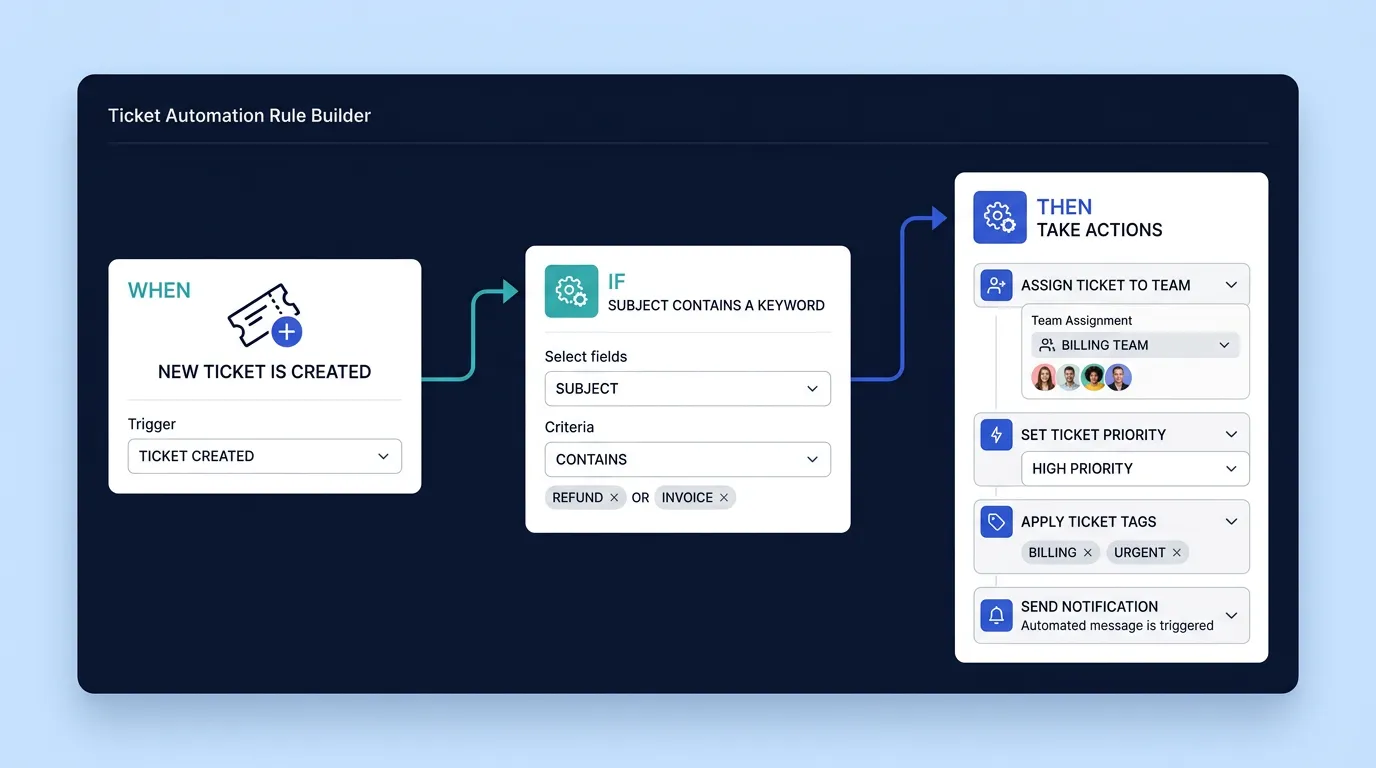
Example rule: When a ticket is created, if the subject contains “refund,” then assign it to the Billing team and set the priority to High.
The trigger is the event that starts the rule. Common triggers include a ticket being created, updated, or changing status.
The condition decides whether the rule should run. For example, only if the ticket is from a VIP customer, or contains a certain keyword.
The action is what the system does. It might assign the ticket, set priority, add a tag, send a notification, or start an SLA timer.
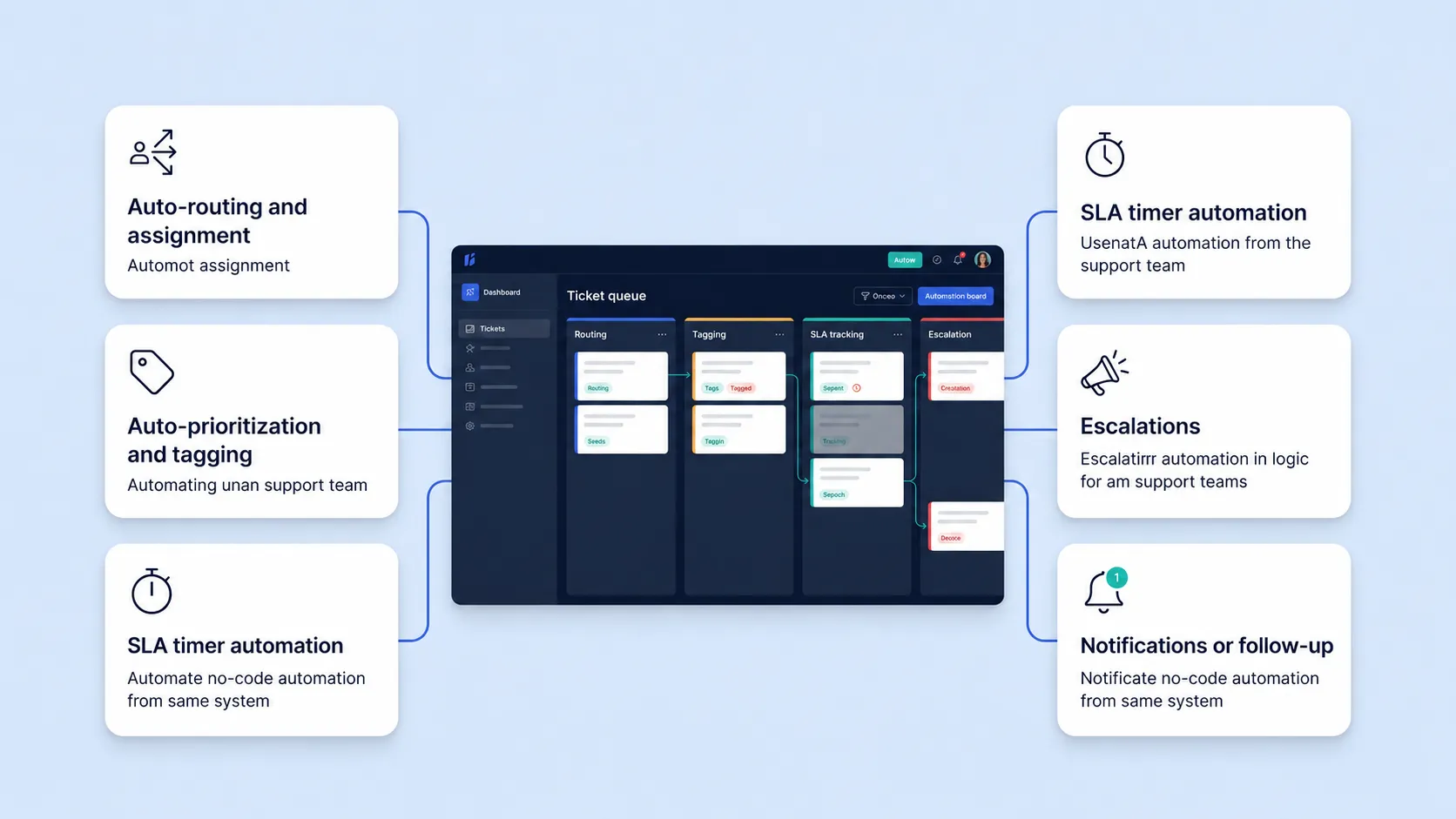
No-code ticket automation dashboard showing auto-routing, tagging, SLA timers, escalations, and notifications in a helpdesk workflow.
The same trigger-condition-action pattern powers many everyday tasks. Here are the most useful.
Send tickets to the right team or agent based on topic, channel, or keyword. This removes manual sorting from the daily routine — and for the deeper mechanics, see how AI ticket routing and auto-assignment work.
Set priority and apply tags automatically, so urgent issues stand out, and reporting stays clean. Clean tags are also what make AI ticket analytics and reporting accurate down the line. No one has to label tickets by hand.
Start response and resolution timers when a ticket is created. The system then tracks deadlines without manual effort.
Notify a manager or reassign a ticket when it nears its deadline. Escalation rules keep important work from slipping.
Send automatic updates to customers and reminders to agents. Stakeholders stay informed without anyone typing the same message twice.
Building your first rules is quick. Take it one rule at a time.
Start small and build up. A handful of well-chosen rules removes most of the daily busywork.
Imagine refund requests keep landing in the wrong queue. You can fix that with one rule.
Figure: the rule builder showing trigger, condition, and action fields.
The trigger is “ticket created.” The condition is “subject contains refund.” The action assigns the ticket to billing, sets the priority to high, and notifies the billing lead.
From then on, every refund request routes itself correctly. The team never sorts those tickets by hand again.
The advantages are immediate and compounding. Each rule you add removes a recurring task forever.
Agents save time because routine sorting and tagging happen automatically. That time goes to resolving real issues.
Service gets more consistent, since rules apply the same way every time. Nothing depends on someone remembering a step.
Teams also stay flexible. Because the rules are no-code, you adjust them yourself as your process evolves.
Hengine SDP includes Workflow Automation designed for business users. You can auto-assign tickets by rule, trigger actions on status changes, send notifications automatically, and update priority or routing dynamically.
It pairs with SLA configuration, ticket categories, and templates, so rules fit your real process. The goal is simple: let your team route every request without lifting a finger, no developer required.
Do I need coding skills to automate tickets?
No. No-code tools let you build rules through a visual interface. If you can describe what should happen, you can set up the automation yourself.
What is a trigger-condition-action rule?
It is the basic building block of automation. The trigger is the event, the condition decides whether to act, and the action is what the system does in response.
What should I automate first?
Start with your most repetitive task, usually routing or tagging. Automating one clear, high-volume task delivers quick value and builds confidence to add more.
Can automation handle SLAs and escalations?
Yes. Rules can start SLA timers when a ticket is created and escalate or reassign tickets that approach their deadline, all without manual tracking.
Next step: Build your first automation rule in minutes. Start with Hengine’s free Fremium plan or book a demo to see no-code workflows in action.



