

When a support request arrives, someone has to decide who handles it. AI ticket routing makes that decision automatically, sending each ticket to the right person in seconds.
This article explains how that works in plain terms. It covers the difference between routing, triage, and assignment, and how to set up automatic routing for your own team.
AI ticket routing is the process of automatically directing incoming tickets to the right agent or team. Instead of a person reading and sorting each request, the software does it based on the ticket’s content.
The aim is to remove the manual middle step. No one has to scan a shared inbox and forward tickets, which saves time and reduces mistakes.
Done well, routing means a billing question reaches billing and an outage reaches engineering, without anyone touching the queue.
Intelligence follows a clear sequence. You can picture it as a short pipeline that every ticket passes through.
Workflow placeholder: Read the ticket, classify the topic, score the priority, then assign it to the right owner.
Natural language processing, or NLP, reads the words of the ticket. It works out the topic and the intent behind the message.
The system also gauges urgency and tone. A frustrated message about a broken feature is treated differently from a calm general question.
Machine learning improves routing over time. By studying how similar tickets were handled before, the system gets better at predicting where each new ticket should go.
Finally, the ticket is assigned. The system picks the right team or agent based on category, priority, skills, and current workload.
These three terms are related but distinct. Knowing the difference helps you set the system up correctly.
Triage is about understanding and prioritizing the ticket. It answers the question, “what is this and how urgent is it?”
Routing is about direction. It decides which team or queue the ticket belongs to.
Auto-assignment is the final step. It picks a specific agent, often balancing workload so no one is overloaded.
In practice, the three work together. The system triages first, routes to the right queue, then assigns an owner.
There are two broad ways to route tickets, and many teams use a mix.
Rules-based routing follows fixed instructions you define. For example, any ticket containing the word “invoice” goes to billing.
AI-based routing is more flexible. It interprets meaning, so it can route a ticket about “a charge I didn’t recognize” to billing even without the exact keyword.
The table below compares the two approaches.
| Aspect | Rules-based routing | AI-based routing |
|---|---|---|
| How it decides | Fixed keywords and conditions | Meaning and intent |
| Handles new phrasing | Poorly, unless you add rules | Well, by understanding context |
| Setup effort | Simple to start | Learns from data over time |
| Best for | Clear, predictable cases | Varied, natural language |
How it decides
Handles new phrasing
Setup effort
Best for
Most teams start with rules and layer AI on top as volume grows.
Getting started is straightforward if you take it in steps. You do not need to automate everything at once.
Treat the first version as a draft. Routing improves as you watch real tickets and adjust.

The payoff shows up quickly in daily work. Each benefit ties to a real cost of manual sorting.
First response times drop, because tickets reach the right person instantly. Customers wait less for an answer.
Misrouted tickets fall, so requests stop bouncing between teams. That bouncing is a hidden cause of slow resolutions.
Agent focus improves too. With sorting handled automatically, agents spend their time resolving issues, not triaging a queue.
A few missteps make routing less effective than it should be. They are easy to fix once you know them.
The first is over-complicating the rules early. Dozens of overlapping conditions become hard to maintain, so start simple and add logic as needed.
The second is ignoring workload. Routing every ticket to your best agent overloads them and slows everyone down, so balance assignment across the team.
The third is never reviewing results. Routing logic drifts out of date as your products and categories change, so a short weekly check keeps it accurate.
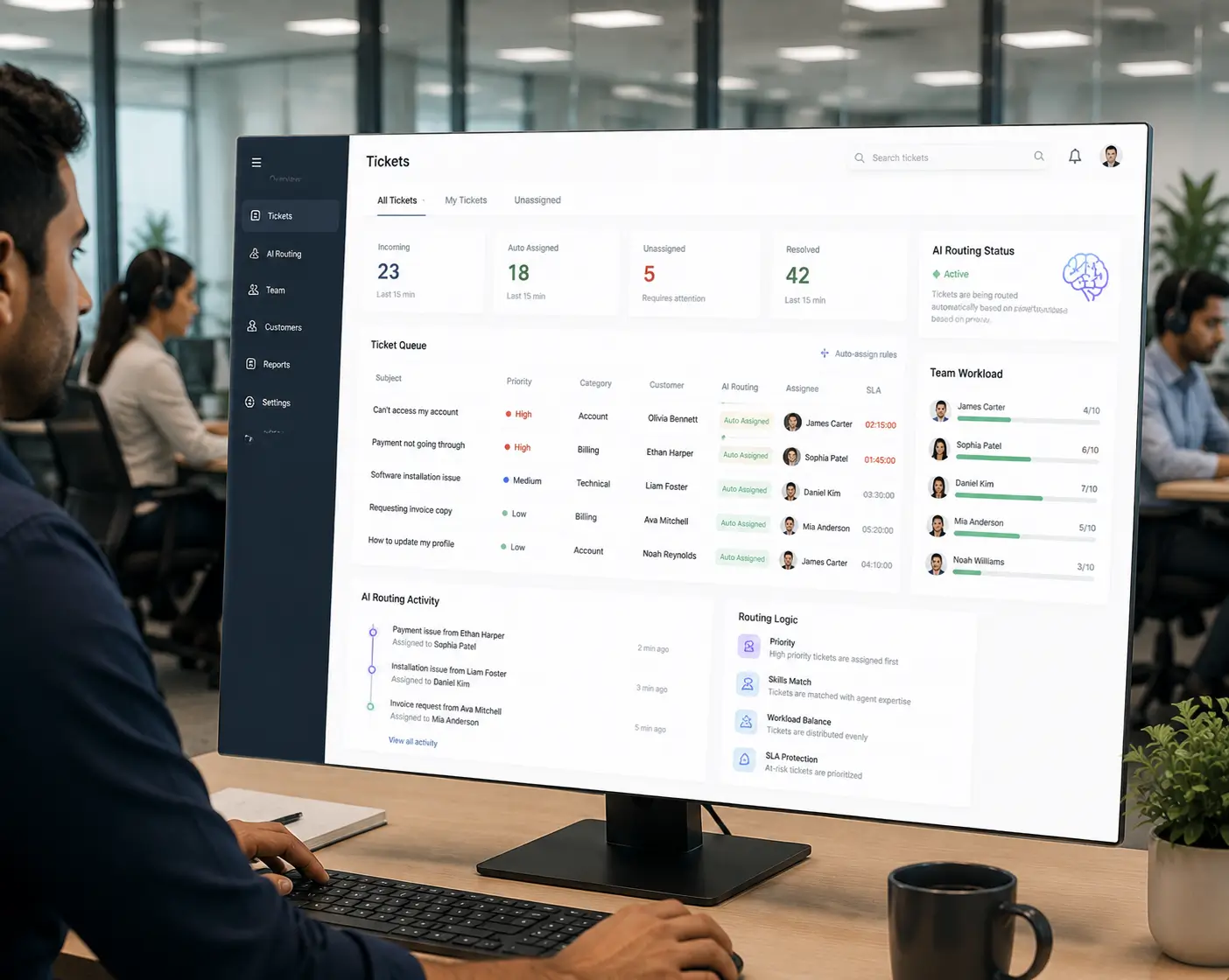
Hengine SDP includes Workflow Automation built for exactly this. It can auto-assign tickets based on rules, update priority or routing dynamically, and trigger actions when a ticket’s status changes.
Combined with priority-based handling and skill-based assignment, it gets each ticket to the right owner without manual sorting. This supports the goal of routing every request without lifting a finger.
See also: AI Ticketing Systems and Ticket Automation Without Code.
Next step: See how Hengine routes and assigns tickets automatically. Book a demo or start with the free Freemium plan to set up your first routing rules.
Routing sends a ticket to the right team or queue. Assignment picks the specific agent who will handle it, often balancing workload across the team.
Neither is universally better. Rules are simple and predictable, while AI handles varied, natural language. Many teams combine both, starting with rules and adding AI as volume grows.
It reads the ticket with NLP to understand the topic and intent. Then it checks priority and matches it to the right queue and agent using your rules.
Yes. Good routing scores urgency during triage, so critical issues like outages are pushed ahead of routine requests and sent straight to the right responder.
AI Ticketing pillar and across to “AI Ticket Analytics & Reporting Explained.



