

Support and sales see the same customers, but often in different tools. When your help desk and CRM are connected, agents finally get the full picture in one place. It is one of the highest-value integrations a support team can set up.
This guide explains why the connection matters, what it looks like, and how to set it up well.
Your CRM holds who the customer is, their deals, and their history. Your help desk holds their support tickets. Kept apart, each tells only half the story.
Connecting them means an agent sees the customer’s value, past purchases, and open deals right inside the ticket. Answers become faster and more relevant.
It works the other way too. Sales sees support activity in the CRM, so they know if an account is having a rough time before a renewal call.
When the integration works well, the two tools feel like one. A few things happen automatically.
Customer details flow from the CRM into the ticket, so agents do not re-type them. Support tickets appear on the customer’s CRM record, so sales sees the full history.
Updates sync both ways. A change in one system reflects in the other, keeping records consistent without manual effort.
Not everything needs to sync. Focus on the fields that help each team.
Keep the sync focused. Mapping too many fields creates noise and raises the chance of conflicts.
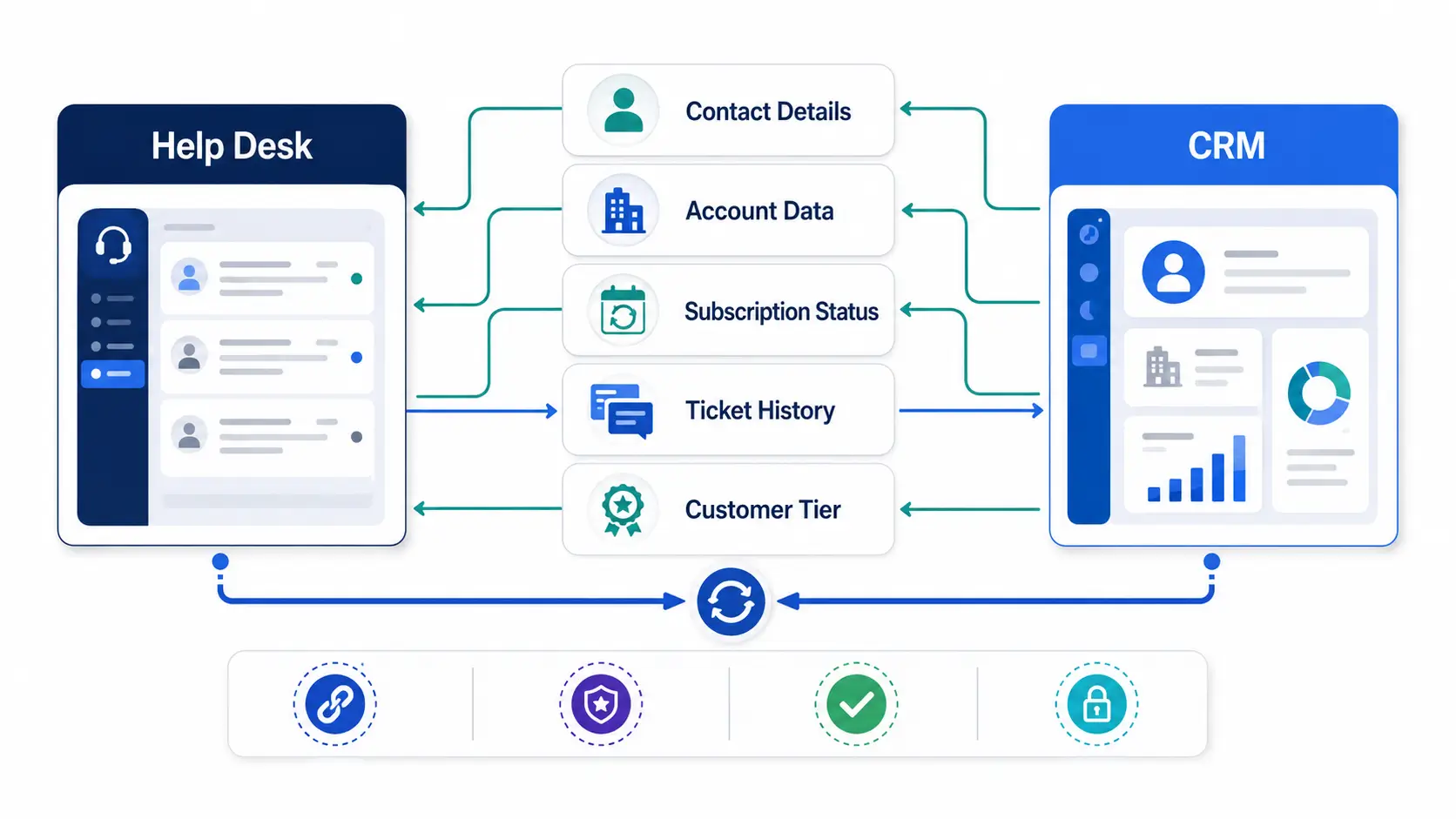
The setup depends on the tools, but the path is similar. These steps apply broadly.
Start with a one-way flow of customer data into tickets. Add two-way sync once that works reliably.
The biggest risk in any CRM sync is messy data. Two systems can easily create duplicates or overwrite each other.
Use a unique identifier, like email, to match records across both tools. This prevents the same customer appearing twice.
Decide which system is the source of truth for each field. When both can edit a field, set clear rules so one does not silently overwrite the other.
A few habits keep the integration valuable rather than fragile.
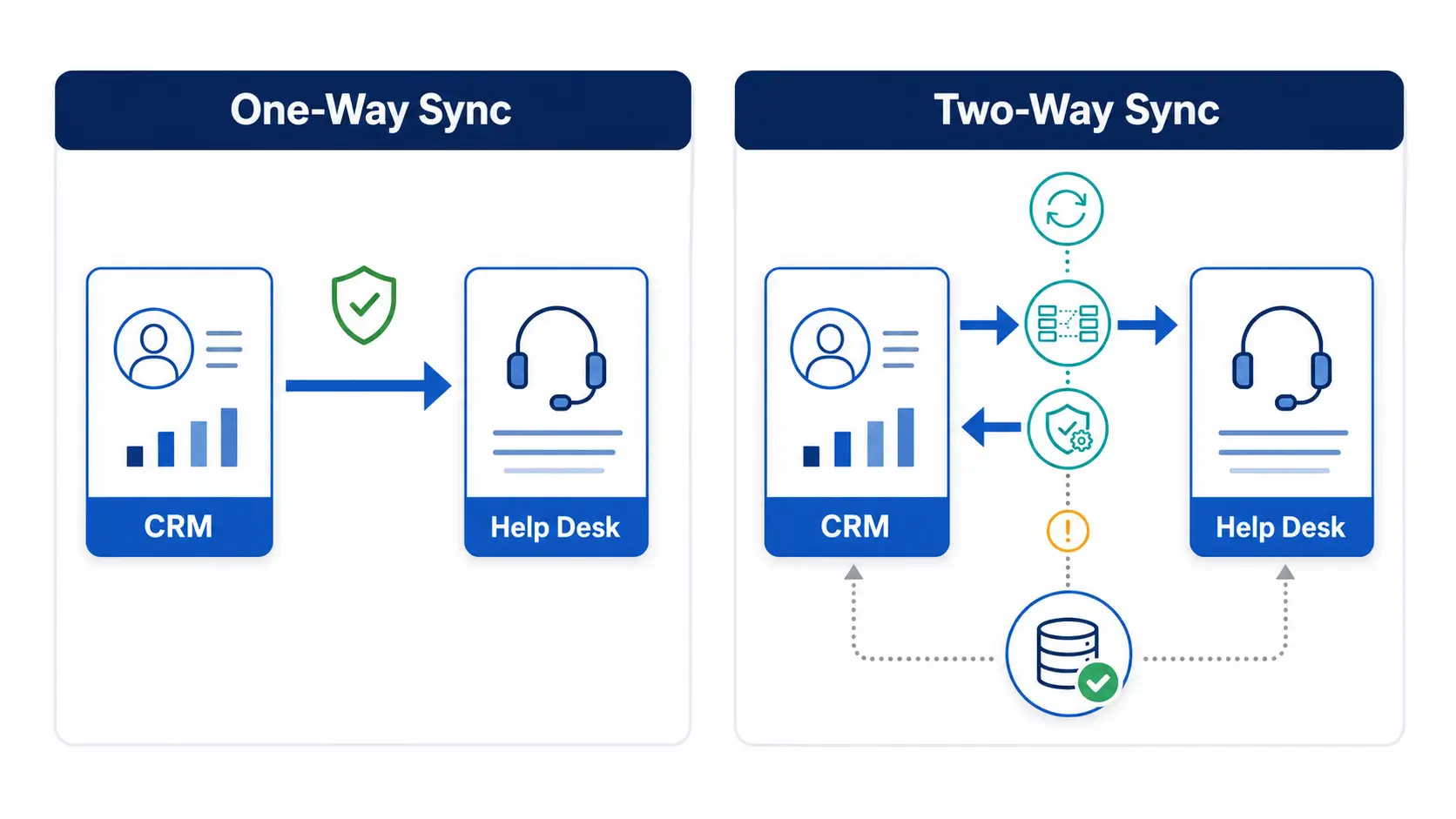
A CRM integration can flow in one direction or both. Choosing the right mode avoids conflicts.
A one-way sync copies data from one system to the other, such as CRM contacts into tickets. It is simpler and safer, since only one system edits the data.
A two-way sync keeps both systems matched, with changes flowing either way. It is more powerful but needs clear rules on which system wins a conflict.
Start with a one-way flow to prove the connection. Move to two-way only once you have set a source of truth for each field.
Hengine SDP is built for integration readiness, including connections to CRM and ERP systems. Its API and webhooks let you sync customer data both ways and surface it inside tickets.
With customer context in the ServiceHub ticket view, agents resolve issues without switching tools. Workflow Automation can also act on CRM data, such as prioritizing high-value accounts.
The result is a support team that always sees the full customer, and a CRM that always reflects support activity.
Next step: Give agents full customer context by connecting Hengine to your CRM. Book a demo or start with the free Fremium plan.
So agents see full customer context inside tickets, and sales sees support history in the CRM. It speeds up responses, makes them more relevant, and keeps both teams working from the same information.
Focus on contact details, company and account data, deal or subscription status, ticket history, and customer value. Sync only the fields each team uses, to avoid noise and conflicts.
Match records using a stable unique identifier, usually email. Also choose a source of truth for each field, so the two systems do not overwrite each other and create conflicting or duplicate entries.
Not always. Many help desks and CRMs have native integrations, and no-code platforms can connect them visually. A developer is only needed for custom syncs using the API.



