

Most teams do not start looking for a new help desk because they are bored. They look because something hurts.
Maybe the price jumped at renewal. Maybe agents fight the interface every day. Maybe the AI features cost extra on every ticket.
Whatever the trigger, switching tools is a big decision. The wrong choice wastes months and frustrates your team.
This guide explains why teams look for help desk alternatives, how to compare options fairly, and how to switch without chaos. It links to detailed comparisons for the most common tools.
The reasons are usually practical, not emotional. Understanding your real reason helps you pick the right replacement.
Per-agent pricing looks fair at first. Then you add seats, tiers, and AI usage fees, and the bill climbs quickly.
Many teams switch when a renewal quote arrives far higher than expected. The tool did not change, but the price did.
Some tools put basic needs like SLAs, routing, or reporting on expensive plans. You end up paying for an enterprise tier to unlock one feature.
This gap between the plan you want and the plan you need is a common source of frustration.
Enterprise platforms can take months to configure. Simple tools can hit a ceiling as you grow.
The right fit sits between these extremes for your current team size and near-future plans.
AI resolutions and copilots often carry usage fees. Costs become hard to predict when every AI reply adds to the bill.
For high-volume queues, these fees can rival the cost of the seats themselves.
Two tools with the same sticker price can cost very different amounts. The pricing model matters as much as the number.
You pay for each agent seat per month. This is simple to predict, but costs rise as you hire.
Watch for tools that also charge for light or occasional collaborators.
Vendors group features into tiers. The trap is needing one feature that sits two tiers above your budget.
Map your must-have features to the exact plan that includes them before comparing prices.
Some tools charge per AI resolution or per automated reply. This scales with ticket volume, not team size.
Ask any vendor to model your monthly AI cost at your real ticket volume.
The license fee is only part of the cost. Implementation, training, and admin time all add up.
For heavy enterprise platforms, total cost can run several times the license fee in the first year.
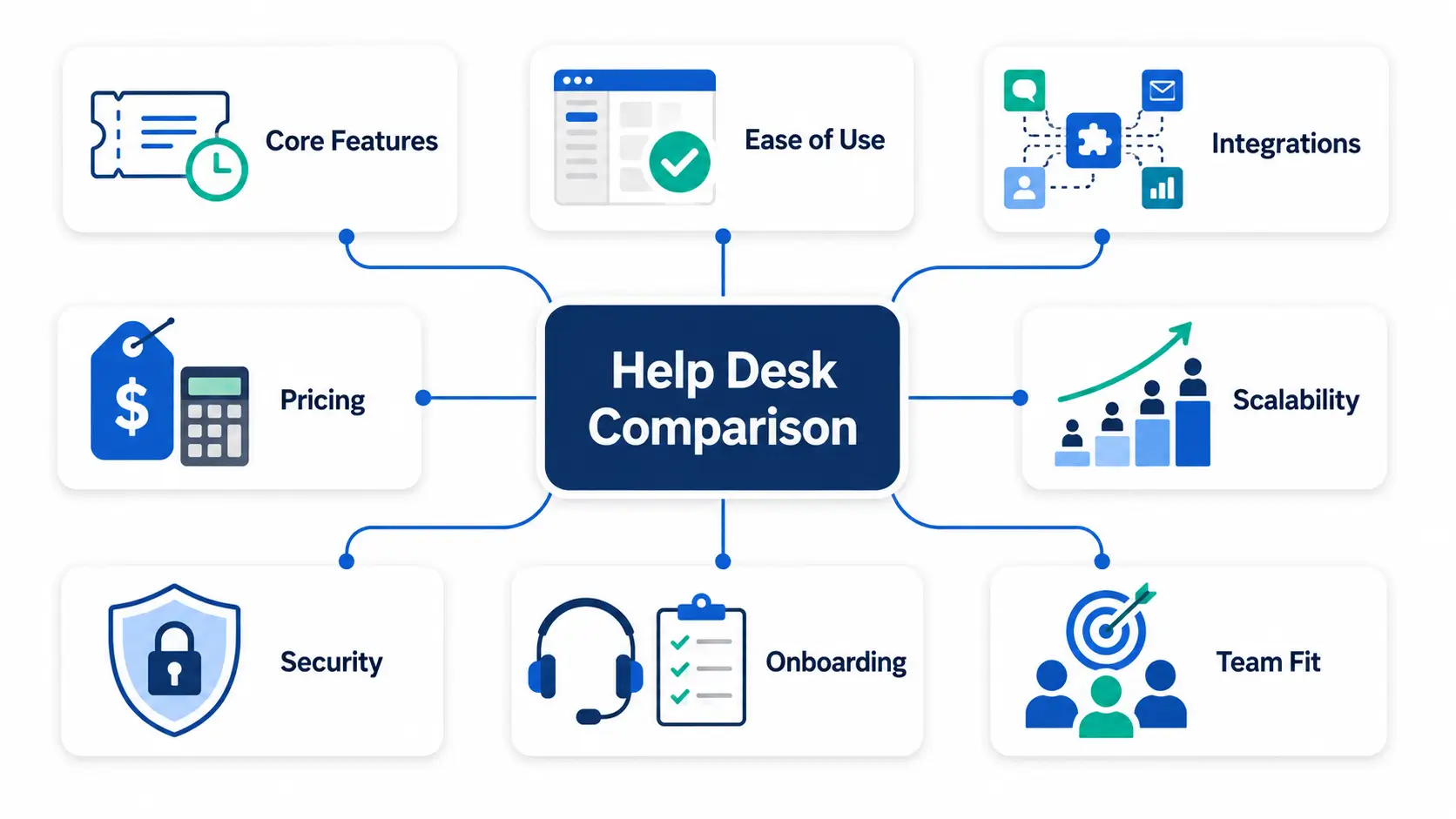
A fair comparison uses the same criteria for every tool. Score each option against what your team actually needs.
These are the criteria that matter most for support and IT teams. Each one affects daily work or long-term cost.
Write down your top three needs before you demo anything. This keeps sales calls focused on your priorities.
The table below summarizes the tools teams compare most often. Prices are 2026 annual per-agent rates and can change, so confirm before you buy.
| Tool | Best for | Entry price (annual) | Watch out for |
|---|---|---|---|
| Zendesk | Large support teams wanting a mature platform | Support Team $19; Suite Team $55 | AI usage and add-ons stack on top of seats |
| Freshdesk | Mid-market teams wanting balance | Growth $19; Pro $55 | AI copilot limited to higher plans |
| ServiceNow | Large enterprises needing deep ITSM | Custom quote (est. $90-150+/user) | High cost, long, complex implementation |
| Intercom | Messaging-first customer support | Essential $29/seat | Fin AI charges per resolution |
| Zoho Desk | Budget teams in the Zoho ecosystem | Standard $14; Professional $23 | Best value inside Zoho, less so outside it |
Each tool has a dedicated comparison with pros, cons, and pricing detail.
The best tool depends on the work you do. The same platform can be perfect for one team and wrong for another.
You need omnichannel inboxes, fast routing, and clear SLAs. Reporting on response and resolution times is essential.
You need incident, problem, and change workflows, plus asset tracking. Heavy platforms cover this but add cost and complexity.
Lighter tools now handle core ITSM without a long rollout. ITSM guide
HR, facilities, and IT can share one help desk. This avoids paying for and learning several separate tools.
You need a low starting cost and room to grow. Avoid tools that force an enterprise contract too early. scaling support guide
Demos show a tool at its best. A trial shows how it works for you. Test with real scenarios, not sample data.
If a basic workflow feels hard in a trial, it will feel harder at scale.
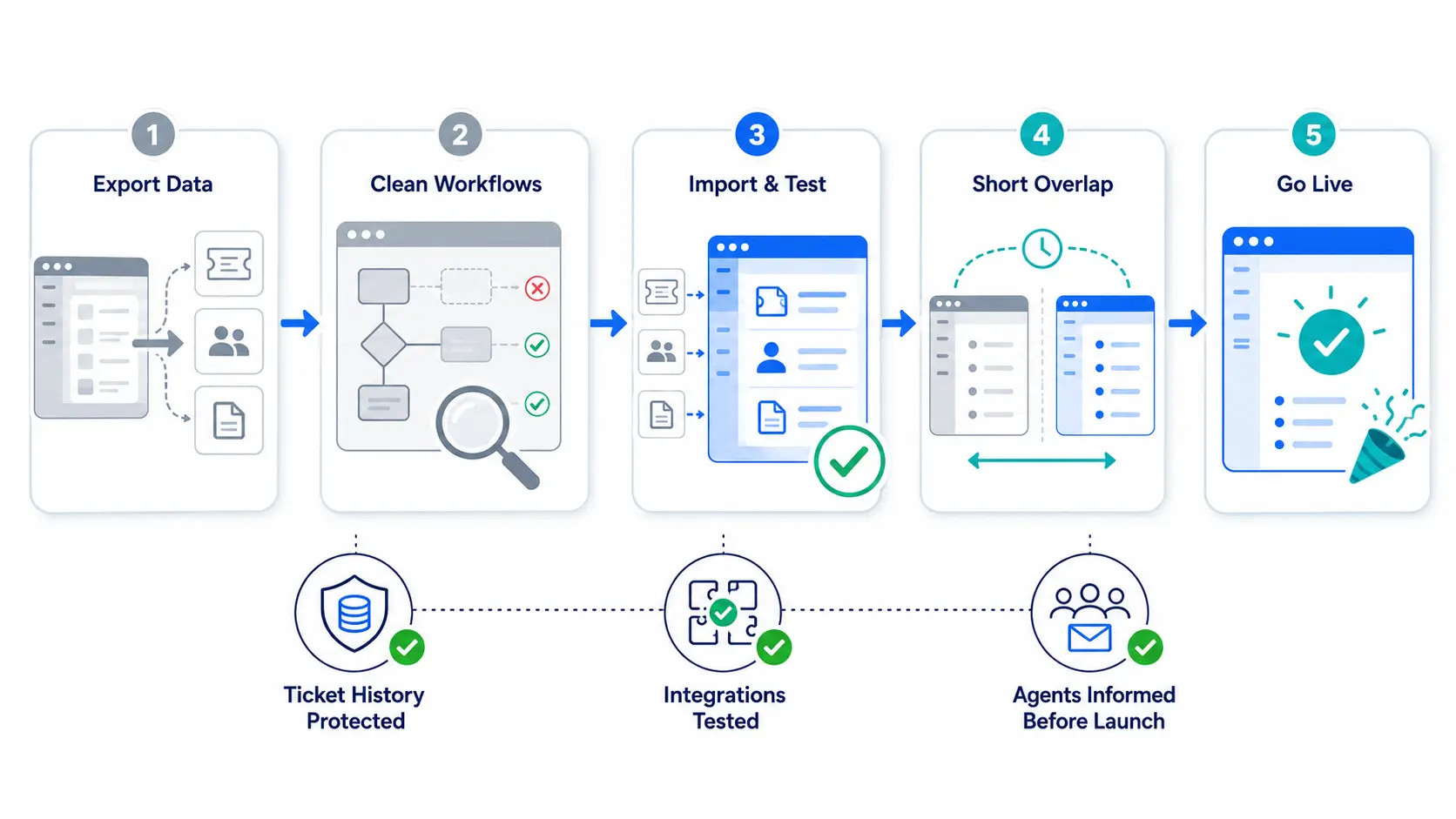
A messy migration hurts more than an old tool. Plan the move before you cancel anything.
Export past tickets, contacts, and macros first. Confirm the new tool can import them, or keep the old data accessible.
Do not copy every old rule. Migration is a chance to remove automations that no longer help.
A short overlap lets you catch gaps before the old tool closes. Route new tickets to the new system first.
Set expectations early. A short note about new response channels prevents confusion during the switch.
These mistakes are easy to avoid once you know them.
Hengine is an AI ticketing and help desk platform built for teams that want power without the enterprise overhead.
It includes AI ticket routing, real-time SLA tracking, and analytics in the core product, not as paid extras.
One workspace handles IT, HR, facilities, and customer requests, so you avoid separate tools per team.
Pricing is simple, and the platform scales from a small team to enterprise use.
Hengine is worth a look if predictable cost and fast setup matter to you. It may not fit teams that need a niche feature only one vendor offers.
A few clear signals mean the search is worth your time. If several apply, start comparing options now.
When people track tickets in spreadsheets or chat, the tool is failing them. Workarounds hide the real workload.
If you cannot see response times or backlog at a glance, reporting is too weak. Managers need fast answers.
Editing a workflow should not require a support ticket to your vendor. Slow admin control blocks improvement.
When you pay enterprise prices for features you never use, the fit is wrong. Match spend to real usage.
Use the same questions in each demo. Consistent questions make it easy to compare honest answers.
Vague answers on price or data export are a warning sign. Clear vendors give clear numbers.
Switch when the current tool blocks growth, costs keep rising, or agents avoid it. A renewal date is a natural checkpoint.
Small teams often move in days. Larger teams with many automations and integrations may need a few weeks.
Not if you plan ahead. Export your data first and confirm the new tool can import it before you cancel the old one.
Not always. Some lower-cost tools include features that others charge extra for. Compare total cost, not just the sticker price.
Two or three is ideal. More than that makes it hard to compare fairly and slows the decision.
Start with your real reason for switching. Score each option against the same criteria, then trial the top two with real work.
When you are ready to compare a modern, all-in-one option, explore how Hengine handles routing, SLAs, and reporting in one place.
Disclaimer: Pricing and features are accurate as of September 2026 and may change. Check each vendor’s website for current details. Comparisons reflect our opinion and are provided for informational purposes only.



