

In most growing companies, internal requests live everywhere. A laptop issue goes to IT over Slack. An onboarding question lands in an HR inbox, and a broken meeting room gets mentioned in the hallway.
Scattered requests are easy to lose and hard to measure. No one can say how long a request waited or whether it was ever resolved.
An internal helpdesk fixes this by giving every team a single place to receive, track, and resolve requests. This article explains how it works and what to look for.
Email and chat feel fast, but they were never built to manage work. A request buried in a thread has no owner, no deadline, and no record.
The result is familiar. Employees ask twice, requests fall through, and managers have no visibility into how much work their team is actually handling.
For example, an HR coordinator may juggle onboarding tasks across email and chat. A new hire’s equipment request is easy to miss until the first day arrives.
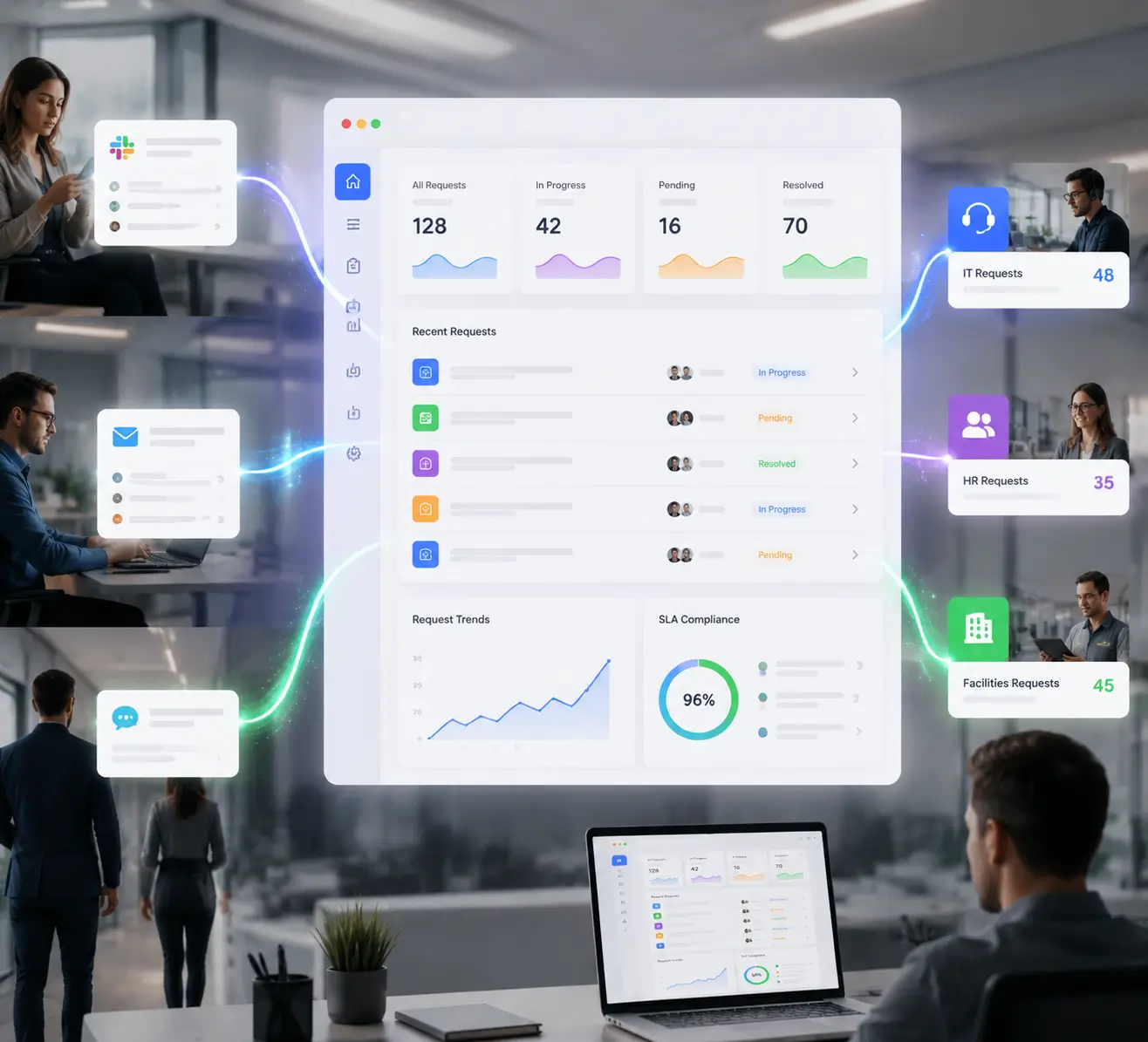
An internal helpdesk is a system where employees submit requests to internal teams, and those teams manage the work as trackable tickets. It serves staff rather than external customers.
The difference from a customer helpdesk is the audience. Instead of supporting buyers, it supports your own people across IT, HR, facilities, and finance.
Each request becomes a ticket with an owner, a status, and a history. Nothing depends on someone remembering a message.
The core benefit is consolidation. One intake point collects requests from email, a chat tool, or a self-service portal, then routes each to the right team.
A new employee does not need to know who handles what. They submit a request, and the system sends a password reset to IT, a benefits question to HR, and a desk move to facilities.
Everyone works from the same queue, so a request is never lost between departments.
A capable internal helpdesk brings a few essentials together rather than bolting on tools later.
Together, these turn a flood of messages into structured, measurable work.
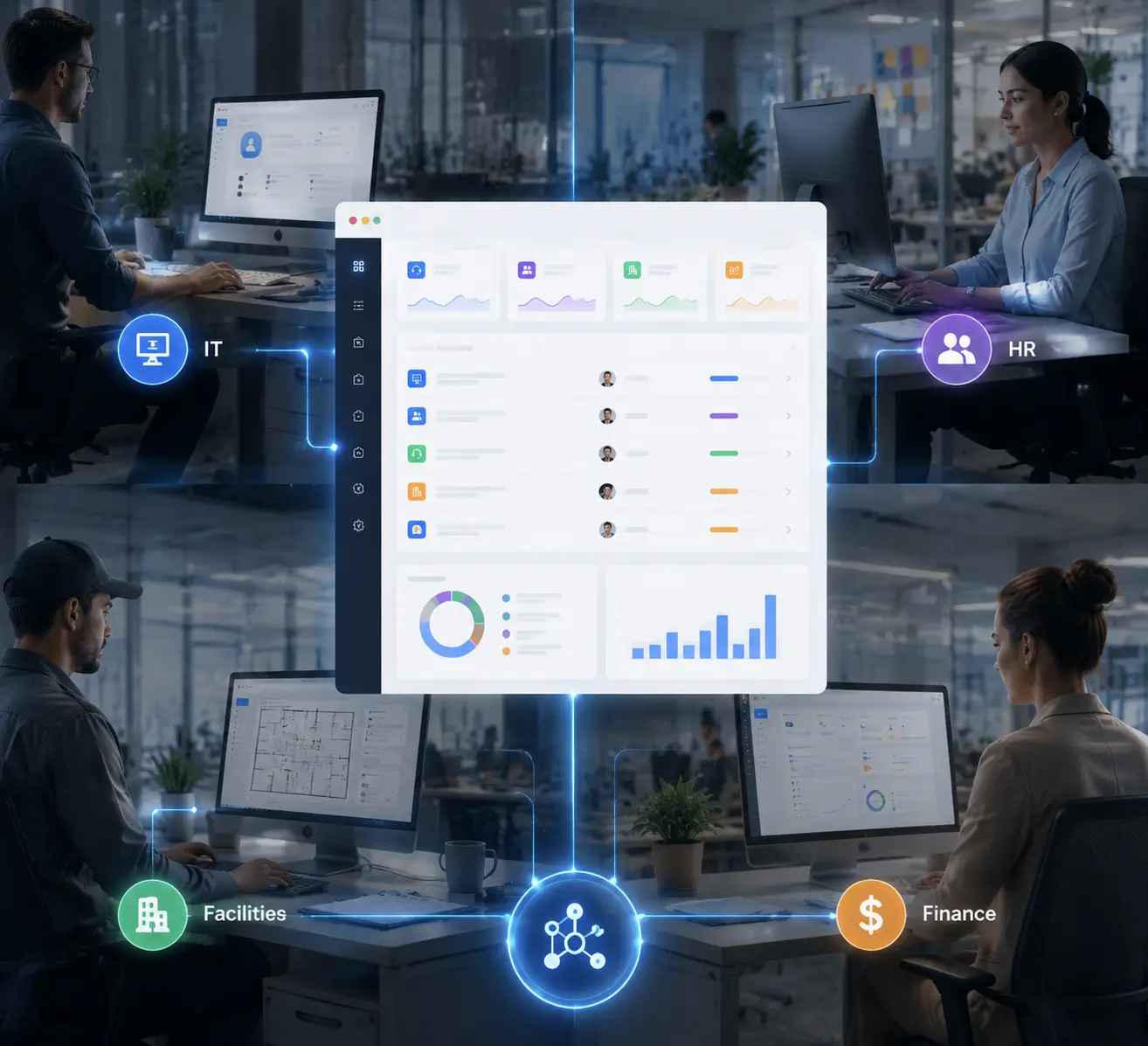
The same engine adapts to very different request types. Each team keeps its own categories, forms, and rules while sharing one platform.
| Team | Common requests | What automation handles |
|---|---|---|
| IT | Password resets, access, and hardware | Routing by issue type, priority tagging |
| HR | Onboarding, leave, benefits | Approval workflows, document checklists |
| Facilities | Repairs, desk moves, supplies | Assignment by location, status updates |
| Finance | Reimbursements, invoice queries | Approval chains, audit trail |
IT
HR
Facilities
Finance
Because the categories live in one system, leadership finally sees total request volume across the whole company.
Consolidating requests does more than tidy the inbox. It changes how internal service is measured and improved.
Employees get a clear status instead of wondering whether their request was seen. A simple confirmation and a ticket number remove most follow-up messages.
Managers gain data they never had. Volume, response times, and recurring issues become visible, so staffing decisions rest on facts rather than gut feel.
The organization also builds a record. Every request leaves an audit trail, which matters for security reviews, HR compliance, and finance approvals.
Many teams start with a shared inbox and assume it is enough. It works until volume grows, then the cracks show.
A shared inbox has no ownership, so two people may reply to the same request or neither may. There are no deadlines, no routing, and no reporting.
An internal helpdesk adds the missing structure. Each request has an owner, a due time, and a status, and the system routes it without anyone sorting manually.
If you are comparing options, a short checklist keeps the decision grounded in real needs.
Consider a 200-person company where IT, HR, and facilities each used a different inbox. Requests were slow, and no team could prove how well it performed.
After moving to a single internal helpdesk, every request became a routed ticket with a clear owner and deadline. Managers could see the workload by team and rebalance when one queue grew.
The change was not magic. It came from giving messy requests a structure they never had in email.

Hengine SDP is built to serve multiple internal teams from one platform. Its ServiceHub ticketing engine handles the full request lifecycle, from creation and assignment through escalation and closure.
Workflow Automation auto-assigns requests by rule, while Access and Permissions keep sensitive HR or finance tickets visible only to the right people. Teams and Workload Management shows how requests are distributed, so no one team is quietly overloaded.
“Best Helpdesk for Startups” pillar and across to “Internal vs Customer Ticketing.” Link to the One Workspace, Every Team feature page, and Hengine Pricing.
Next step: See how Hengine brings IT, HR, and facilities requests into one workspace. Explore the platform or start a free trial to consolidate your team’s intake.
An internal helpdesk serves employees, handling IT, HR, and facilities requests. An external helpdesk serves customers. The underlying engine is similar, but the audience, privacy needs, and request types differ.
Yes. Each team keeps its own categories, forms, and routing rules inside the same platform. Employees submit through one intake point, and the system directs each request to the right team.
Even small teams benefit once requests outgrow a single inbox. A lightweight helpdesk adds ownership and tracking without much setup, and it scales as the company grows.



