

Good help desk software is only half the job. How your team uses it decides the results.
The best support teams follow a set of habits that keep tickets moving and customers happy.
This guide covers practical help desk best practices you can apply, whatever tool you use.
Two teams with the same tool can get very different results. The difference is process.
Best practices turn a help desk from a busy inbox into a reliable service. They cut delays, raise quality, and reduce burnout.
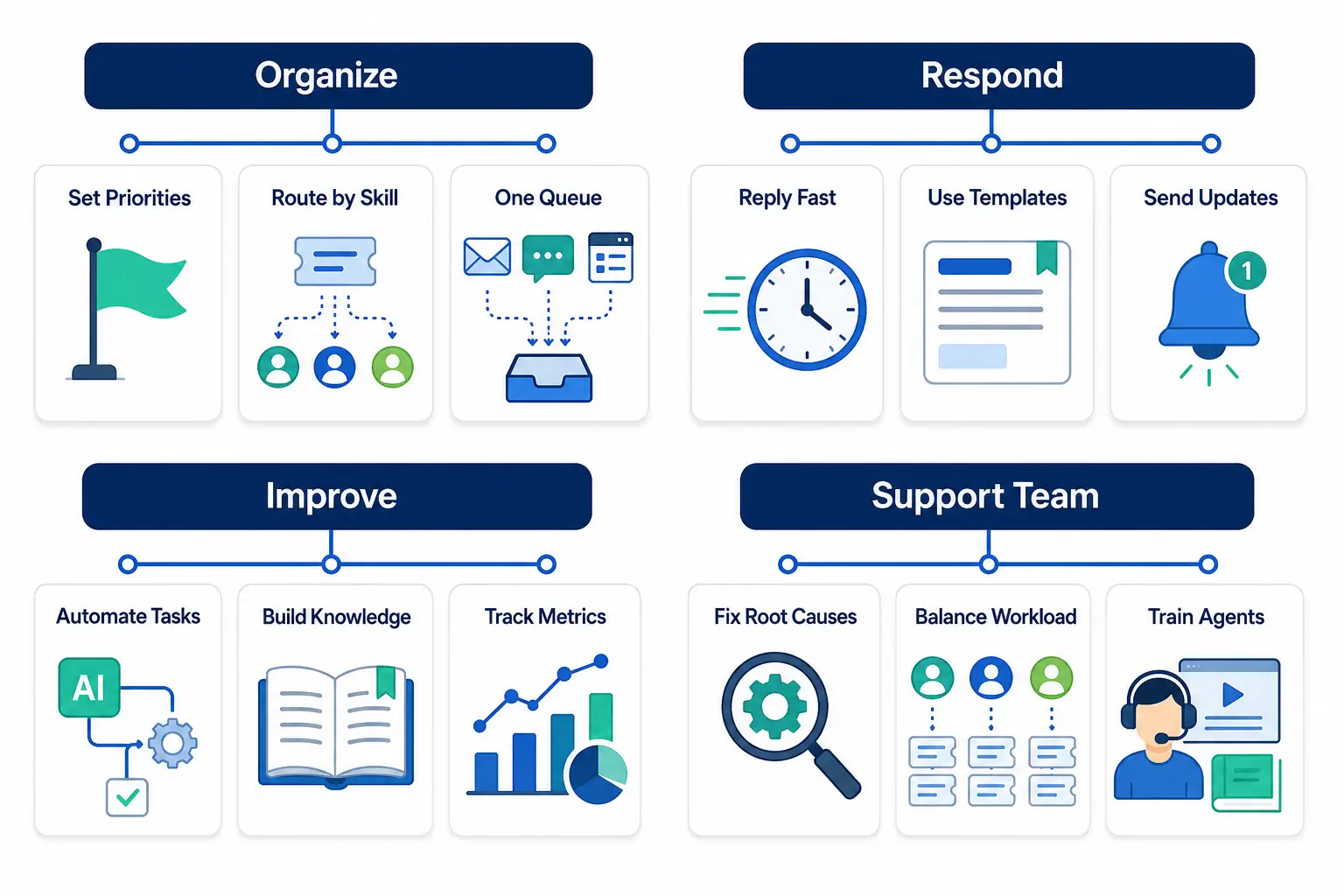
Order is the foundation of good support. Start here.
Define priority levels tied to response times. Shared definitions keep decisions consistent across the team. SLA targets guide
Send tickets to the right agent, not just the next one. Load-aware routing prevents overload.
Bring email, chat, and forms into a single view. This stops requests from hiding in a separate inbox.
How you communicate shapes the customer experience.
A quick acknowledgment reassures the customer. It buys time to work on a full answer.
Canned responses speed up answers and keep them consistent. Personalize them so they do not feel robotic.
Tell requesters what is happening at each stage. Silence is what frustrates people most.
Let the tool handle routine work so agents can focus on people.
Automate routing, tagging, and status updates. This removes busywork and reduces errors.
A help center lets customers solve common issues themselves. It deflects tickets and frees your team.
You cannot improve what you do not measure.
Focus on response time, resolution time, SLA compliance, and CSAT. Review them regularly.
Spot issues that keep coming back. Fixing the root cause reduces future volume. problem management guide
Healthy agents deliver better support. Do not overlook them.
Spread tickets evenly so no agent is buried. Fair load prevents burnout.
Give agents time to learn the product and the tool. Skilled agents resolve tickets faster and better.
Service level agreements set the promise you make on speed. They turn good intentions into measurable targets.
Define response and resolution targets by priority. Add escalation so at-risk tickets get attention before they breach. SLA management guide
Review SLA performance regularly. Targets that are always missed are either wrong or a sign of a deeper problem.
Consistency builds trust. Two customers with the same question should get the same quality of answer.
A shared knowledge base gives agents one source of truth. Response templates keep tone and accuracy consistent.
Keep both current. Outdated articles and templates cause more confusion than they prevent, so review them on a schedule.
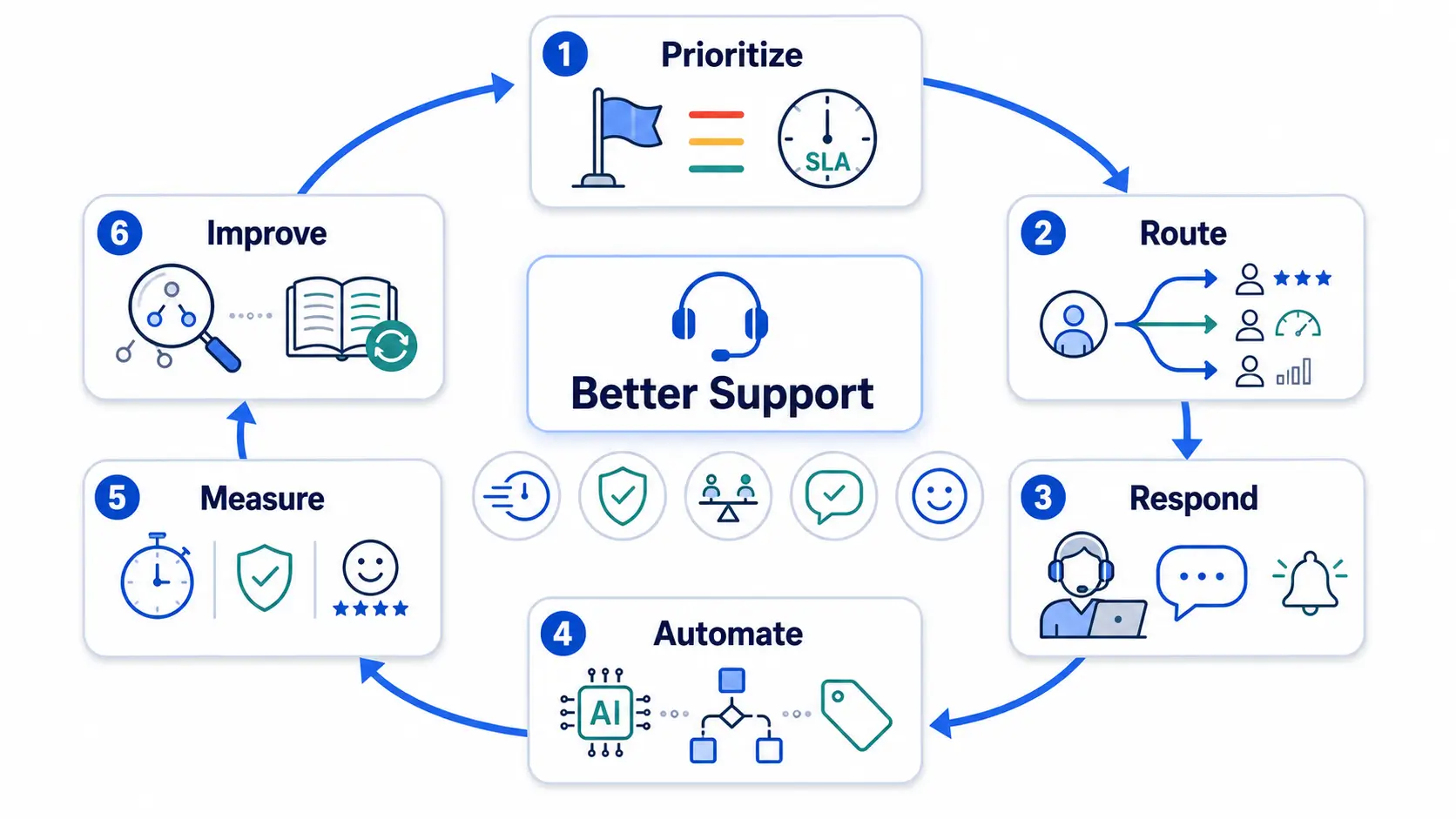
Use this quick checklist to sense-check your help desk.
| Area | Best practice |
|---|---|
| Organize | Clear priorities, skill-based routing, one queue |
| Respond | Fast first reply, templates, regular updates |
| Automate | Route and tag automatically, add self-service |
| Measure | Track a few metrics, fix recurring issues |
| Support team | Balance workload, invest in training |
Organize
Respond
Automate
Measure
Support team
Set clear priorities, route by skill, reply fast, automate routine work, and track a few key metrics. These give the biggest gains.
Use skill-based routing, templates for common replies, and automation. A fast first response, even a holding note, helps most.
Build a knowledge base for self-service and fix the root causes of recurring issues. Both lower future volume.
Fair workload distribution and automation reduce pressure. Balanced load and clear priorities keep the pace sustainable.
Mostly no. These habits work with any help desk, though good software makes them easier to apply.
Pick two or three practices to improve first, then build from there. Small, steady changes compound into better support.
To apply these with AI routing, SLAs, and analytics built in, explore how Hengine works.



