
An escalation rule is your safety net for deadlines. It automatically raises a ticket’s urgency or hands it to someone more senior when it risks missing its SLA.
This guide shows how to design escalation rules that actually prevent breaches. It covers the anatomy of a rule, the levels involved, and a worked example you can adapt.
An SLA escalation rule is an automated instruction that triggers when a ticket is at risk of breaching. It moves the ticket up, either in priority or to a higher support tier.
The purpose is to catch trouble before it becomes a mess. Without escalation, a stuck ticket simply runs out of time unnoticed. Escalation is one of the core disciplines in the complete guide to SLA management.
A good rule acts on a signal, like a deadline approaching, and takes a clear action, like notifying a manager.
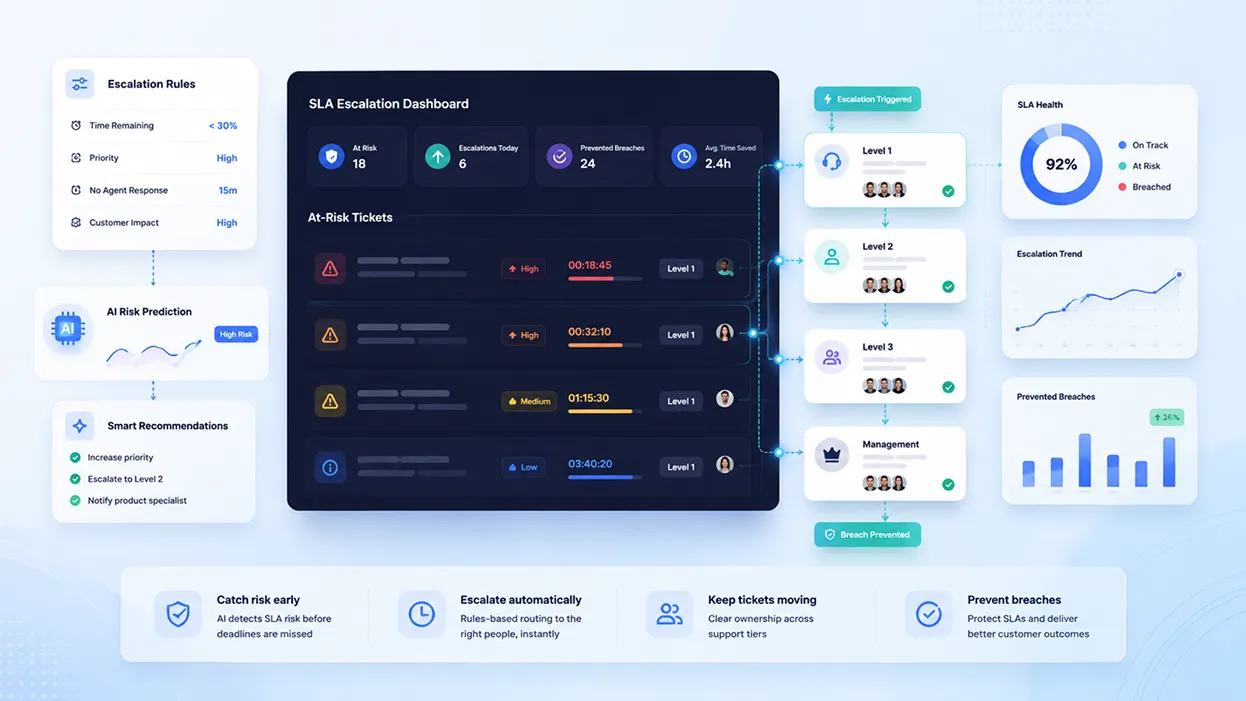
SLA escalation rules dashboard showing at-risk tickets, priority triggers, support tiers, and automated alerts.
There are two moments you can escalate, and the difference is everything.
Escalating after a breach is damage control. The deadline has already been missed, and you are managing the fallout.
Escalating before a breach is prevention. The system acts while there is still time to save the ticket, which is one of the most effective ways to prevent SLA breaches.
The strongest escalation rules fire early, well before the deadline. Documenting a failure is useful, but preventing it is the goal.
Escalation usually follows a tiered structure. Each tier handles what the one before it cannot.
Escalation can be functional, moving a ticket to more skilled staff, or hierarchical, raising it to a manager. Most teams use both.
Like any automation, an escalation rule has three parts. The pattern is easy to reuse.
Example rule: if a P1 ticket passes 75 percent of its resolution time while still open, notify the team lead.
The trigger is a time-based event, such as a ticket nearing its deadline. The condition checks whether action is still needed, like the ticket being unresolved.
The action is the response, such as notifying a manager, reassigning the ticket, or raising its priority. Together, these three parts make a rule that runs itself.
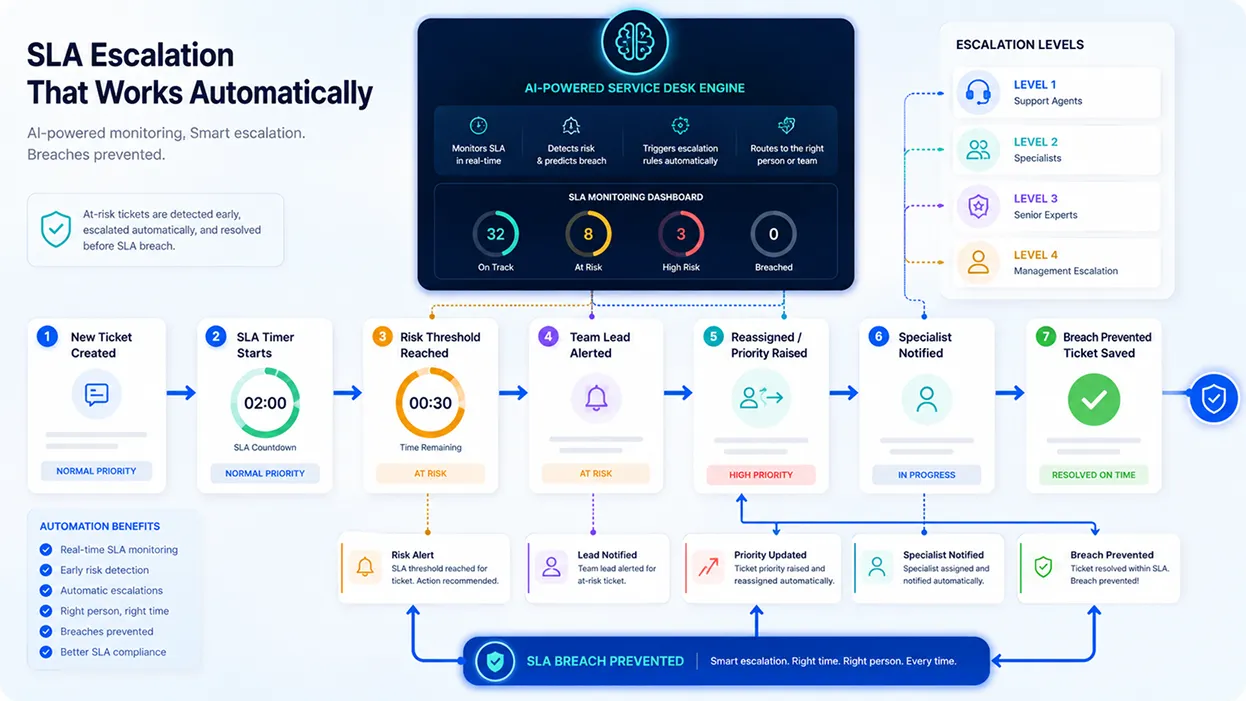
Automated SLA escalation workflow moving at-risk tickets through support tiers with alerts and priority-based actions.
A clear process keeps escalation from becoming chaotic. Build it in order.
Keep it simple at first. A few well-timed triggers prevent most breaches.
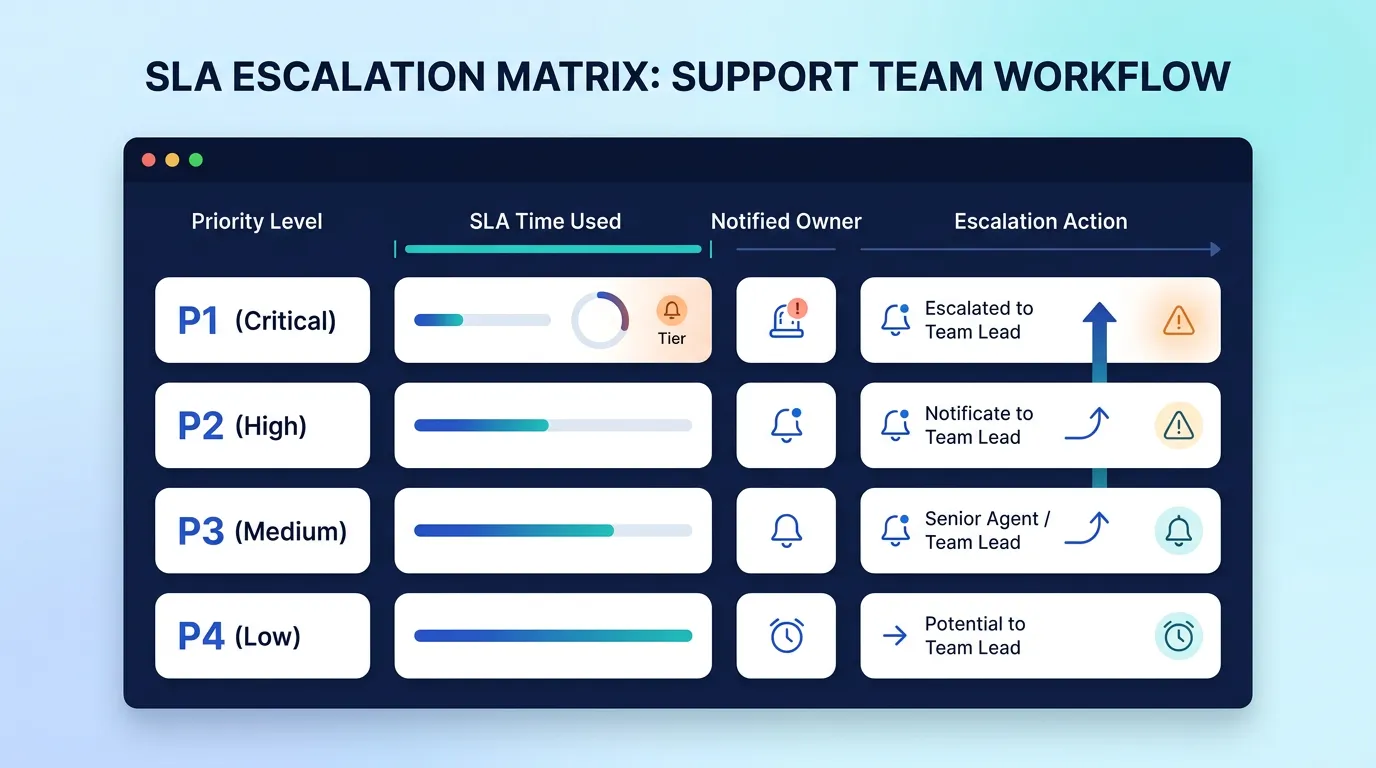
SLA escalation matrix showing priority levels, trigger points, notified owners, and escalation actions.
A matrix makes the rules concrete. The example below shows how escalation can scale by priority. The timings are illustrative examples. Set your own based on your SLA targets and team structure.
| Priority | First escalation | Who is notified | Action |
|---|---|---|---|
| P1 – Critical | 50% of time used | Team lead | Raise priority, add resources |
| P2 – High | 70% of time used | Team lead | Reassign if unowned |
| P3 – Medium | 80% of time used | Queue owner | Send reminder |
| P4 – Low | 90% of time used | Assigned agent | Send reminder |
Notice that higher-priority tickets escalate earlier. The more critical the issue, the more buffer you want.
A few errors make escalation rules backfire. Watch for these.
The first is escalating too late. A trigger that fires only at the deadline leaves no time to act.
The second is over-escalating. If everything escalates to a manager, the alerts lose meaning and get ignored.
The third is unclear ownership. If no one is named at each level, an escalated ticket still stalls.
Hengine SDP includes an SLA Management and Escalation Engine that automates this entire flow. It escalates tickets automatically when they approach or breach their SLA.
Escalation works alongside priority-based handling, real-time tracking, and pause or resume for on-hold cases. The result is a system that helps you catch SLA risks early, without manual monitoring.
Next step: Set escalation rules that catch tickets before they breach. Start with Hengine’s free Fremium plan or book a demo to design your escalation flow.
What is the difference between escalation and routing?
Routing sends a new ticket to the right place at the start. Escalation raises an existing ticket’s urgency or tier later, usually because it is at risk of missing its deadline.
When should a ticket be escalated?
Ideally, before a breach, when a ticket reaches a set portion of its SLA time. Higher-priority tickets should escalate earlier to leave more room to recover.
What are escalation levels L1 to L4?
They are support tiers. L1 is front-line agents, L2 and L3 are increasingly specialized experts, and L4 is management. Tickets move up the tiers when they need more skill or authority.
How many escalation rules do I need?
Start with a few, usually one or two triggers per priority level. A small set of well-timed rules prevents most breaches without creating alert fatigue.



